Hyper AI Picks
how to stay more organized with ChatGPT
September 19, 2025
🔍 AI Idea of the Week
I was brainstorming growth ideas when ChatGPT suggested a direction I hadn’t thought of.
Instead of cluttering the main thread, I used the new feature branching, which lets you take any paragraph from the conversation and turn it into a separate chat.
That way I could compare both paths and pull the best parts into my final plan.
Two features help me stay organized: branching, for testing out ideas without losing the main thread, and Projects, for keeping all the related chats and files in one place.
1) Branching: explore new directions without making a mess
When you’re mid-conversation and want to try something different, don’t start a whole new chat from scratch. Just branch.
Here’s how:
Hover over the message you want to spin off.
Click ⋯ More → Branch in new chat.
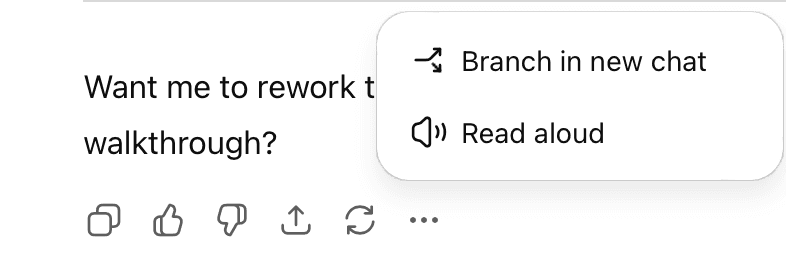
Rename it something clear, like Business strategy - experiment
2) Projects: create a dedicated workspace for your ideas
Instead of scattering chats everywhere, you can bundle them into a single workspace.
Here’s what I do:
- Click New project in the sidebar, give it a name and icon.
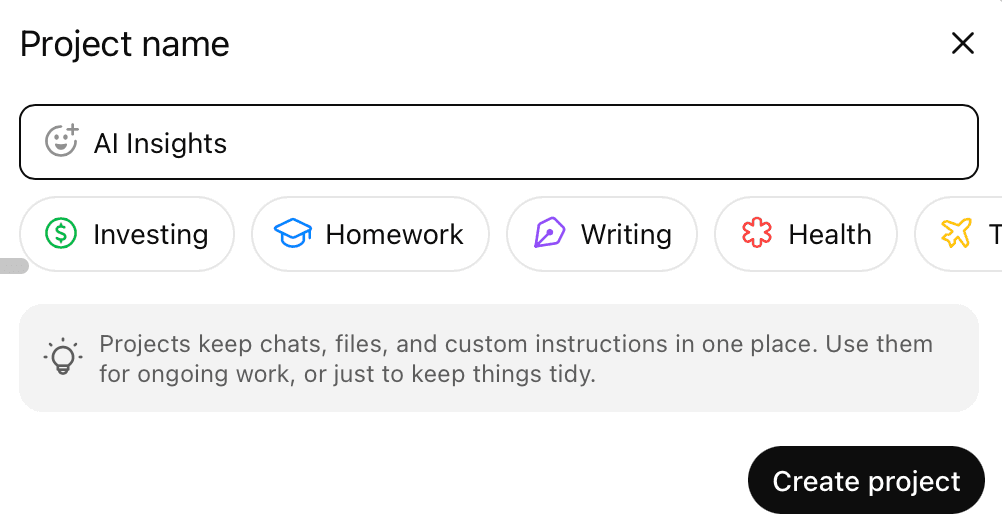
- Add instructions that apply just to that project (like “always use my tone of voice”).
- Upload any files I’ll keep referencing: briefs, old campaigns, spreadsheets.
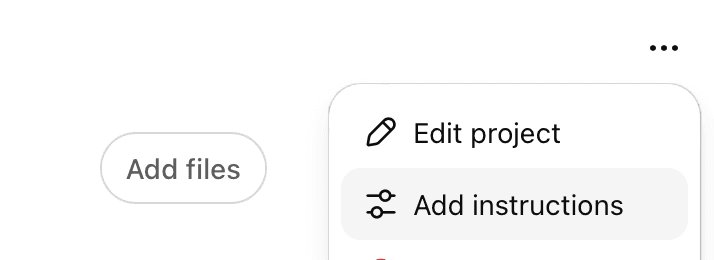
- Move related chats inside (click ⋯ → Add to project).
3) Pin your priorities
I also made a project called Pinned Projects. Whenever I have a chat I know I’ll come back to often, I drop it in there. Now my “most important” list is one click away.
Branching keeps you from cluttering a good thread. Projects keep whole areas of your work organized.
Together, they turn ChatGPT from a stack of random chats into an actual system you can rely on.
⚡ AI Signals
Gemini’s “Banana” image editor is going viral
Google’s Gemini Nano has a quirky tool called Banana that’s getting a lot of buzz. It lets you remix photos by combining images, changing styles, or making playful transformations.
Why it matters: Creators are using it for everything from quick mockups to viral memes.
Copilot gets Scripted Audio Mode
Microsoft’s Copilot can now read text exactly the way you wrote it, with options to choose different voices and styles.
Why it matters: It makes producing audio content faster and cheaper, whether for training, ads, or narration.
Claude adds memory for teams
Anthropic has upgraded Claude with long-term memory for team and enterprise users. The model can now remember goals, preferences, and context across conversations.
Why it matters: By holding onto past context, Claude can give more tailored, consistent responses - whether that’s sticking to your brand voice, recalling project details, or following up on earlier conversations.
YouTube adds AI analytics + dubbing
YouTube Studio is testing a new “Ask” tab where creators can query an AI for insights on their channels. It’s also expanding AI-powered dubbing to translate videos into more languages.
Why it matters: Creators can understand their audience better and reach global viewers without extra editing work.
🛠 AI Tool We’re Testing: Gemini Nano Banana
Gemini’s image editor, nicknamed Banana, has been blowing up online - not just because it’s fun to play with, but because it can actually save you hours of design work.
Here’s how it works:
Open the Gemini app and upload a photo.
Click the 🍌 (Banana) icon to start editing.
Type in what you want to change: add, remove, combine, or restyle objects.
What you can do with it:
Swap objects into new settings (great for quick ad mockups).
Apply different styles or moods to the same product.
Combine multiple images into one scene.
Create variations without needing Photoshop.
Let’s take a closer look!
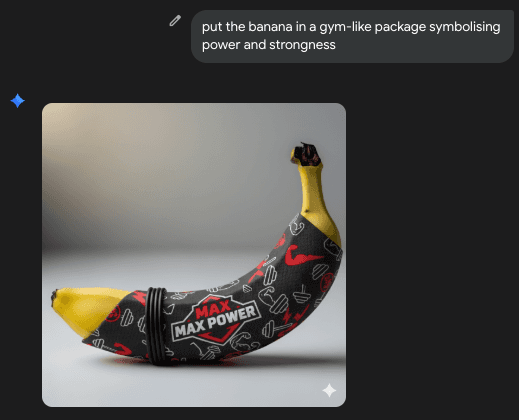
A banana with special branding → Generate playful, branded visuals in seconds!
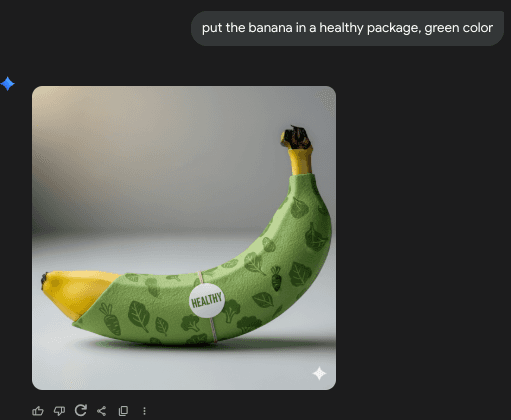
Placing my phone in a new setting → so I can test how it looks in different environments for ads.
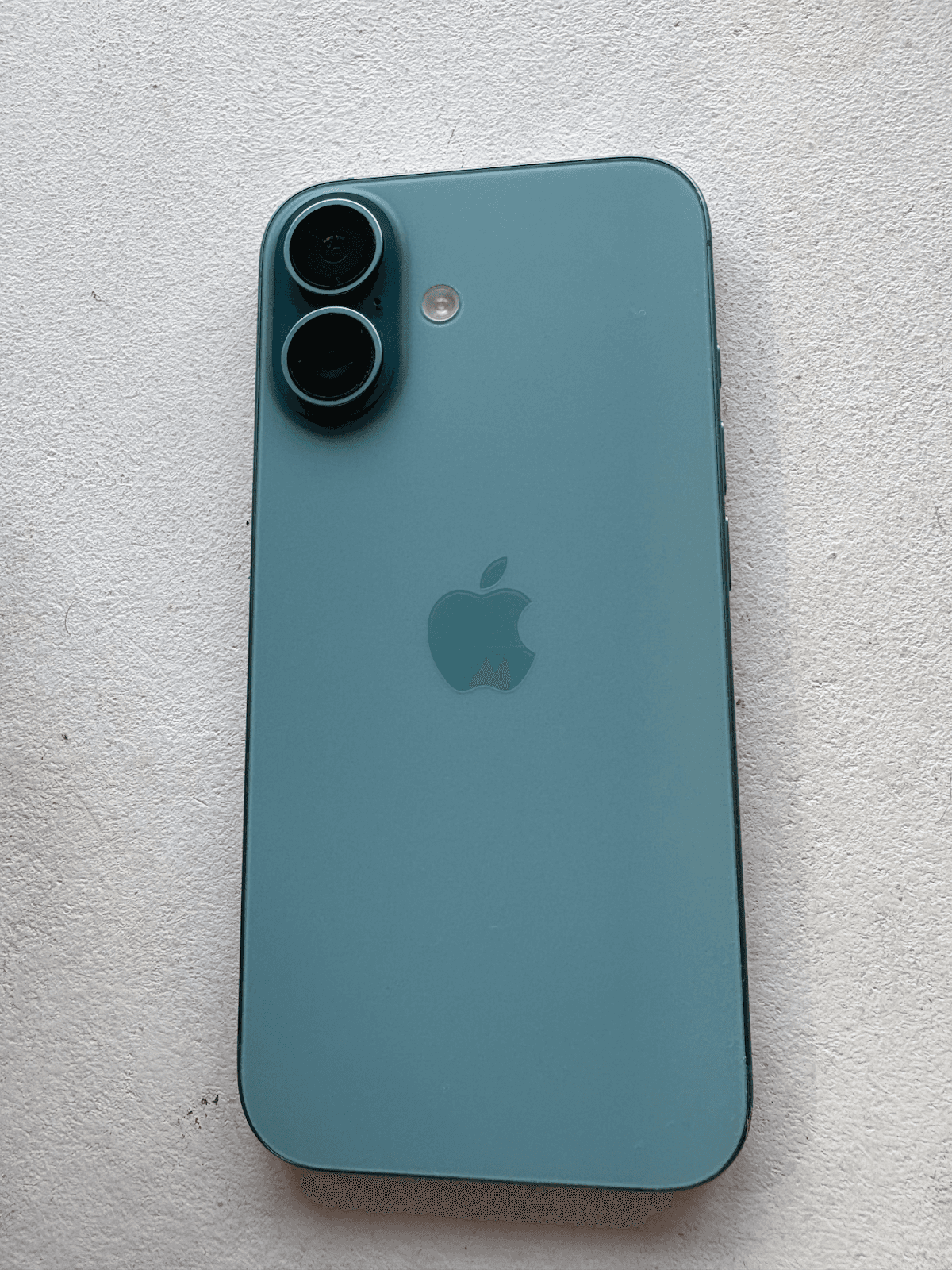

You can test concepts, ad visuals, and creative ideas instantly - and only invest in polished production once you know what works.
🌟 Prompt of the Week: Test Marketing Angles Like a Pro
ROLE
You are a senior marketing strategist who helps small businesses run lean campaigns and quickly identify which messages resonate with their audience.
TASK
Help me design a plan to test different angles in my next marketing campaign by:
Recommending 3 distinct positioning angles I should try (with reasoning for each).Outlining how to A/B test these angles across ads, emails, or landing pages.Suggesting 5 specific variations of copy or creative I can test to see which performs best.Writing 2 example ad headlines and 2 email subject lines for each angle.Proposing 3 quick, low-cost experiments I can run this week to validate which angle has the most traction.
CONTEXT
[Describe your product/service, your target customer, and the channels you plan to use (social, email, ads, etc.)]
CONSTRAINTS
Keep the advice practical and realistic for a one-person business. Focus on simple tests that can be launched quickly, without requiring a big budget or team.