This isn't just a newsletter.

It's your weekly system for becoming a Hyper Entrepreneur

Join 150,000 founders, professionals, and freelancers turning AI into businesses that scale.

One-AI first idea, tool or workflow delivered every Monday and Friday.

This isn't just a newsletter.

It's your weekly system for becoming a Hyper Entrepreneur

Join 150,000 founders, professionals, and freelancers turning AI into businesses that scale.

One-AI first idea, tool or workflow delivered every Monday and Friday.

This isn't just a newsletter.

It's your weekly system for becoming a Hyper Entrepreneur

Join 150,000 founders, professionals, and freelancers turning AI into businesses that scale.

One-AI first idea, tool or workflow delivered every Monday and Friday.

What’s included:

Get a weekly deep dive into AI strategy, business growth, and entrepreneurial mindset. 

Monday

Hyper Entrepreneur Dispatch

What’s included:

A curated roundup of the week’s best AI tools, trends, and shortcuts.

Friday

Hyper AI Picks

Previous Issues

Previous Issues
December 5, 2025

wanna move your memory?

🔍 AI Idea of the Week: How to Bring Your “Memory” From One AI to Another

If you’re thinking about using Claude more but ChatGPT knows you better, here’s a simple trick: you can recreate your ChatGPT memory inside Claude in just a few minutes.

You’re not literally transferring anything - you’re just exporting what ChatGPT knows, cleaning it up, and giving it to Claude so it can start on the same page.

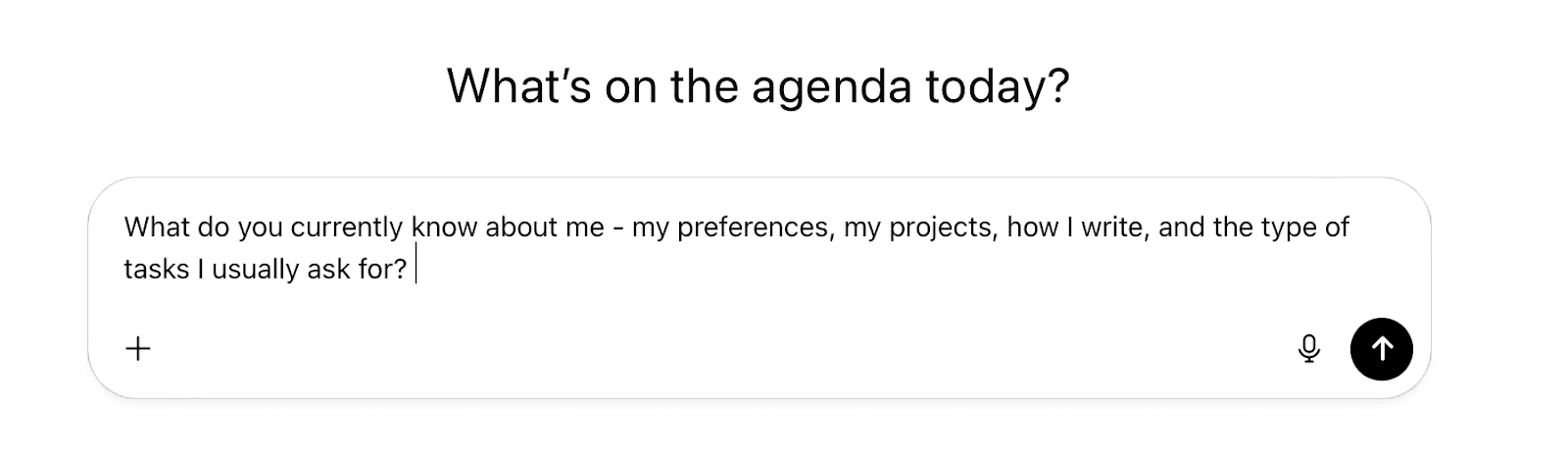
1️⃣ Ask ChatGPT what it knows about you

If you use ChatGPT with memory on, it already has a rough picture of what you like and how you work.

Just type: “What do you know about me - my preferences, projects, writing style, and the tasks I usually ask for?”

ChatGPT will generate a neat little profile. Copy it.

2️⃣ Paste it into Claude

If you have Claude Pro, drop it straight into the Memory panel.

If you're on the free version, start a new chat and say: “This is my permanent context - please use it in future conversations.”

That’s it.

A five-minute way to switch AIs without losing all your personalisation.

AI Signals: The Updates You Shouldn’t Miss

Google rolls out Gemini 3 with “Deep Think”

Google has started releasing Gemini 3, and the standout feature is Deep Think: a new mode designed for longer, more deliberate reasoning. It also brings stronger multimodal skills for everyday use.

Meta tests a unified AI support assistant

Meta is experimenting with a new AI assistant that handles support across both Facebook and Instagram. The goal: one place to get help instead of bouncing between disconnected support systems.

Anthropic starts using AI to interview its own users

Anthropic is testing a new idea: letting AI conduct user interviews to gather feedback about people’s experiences with AI tools. 

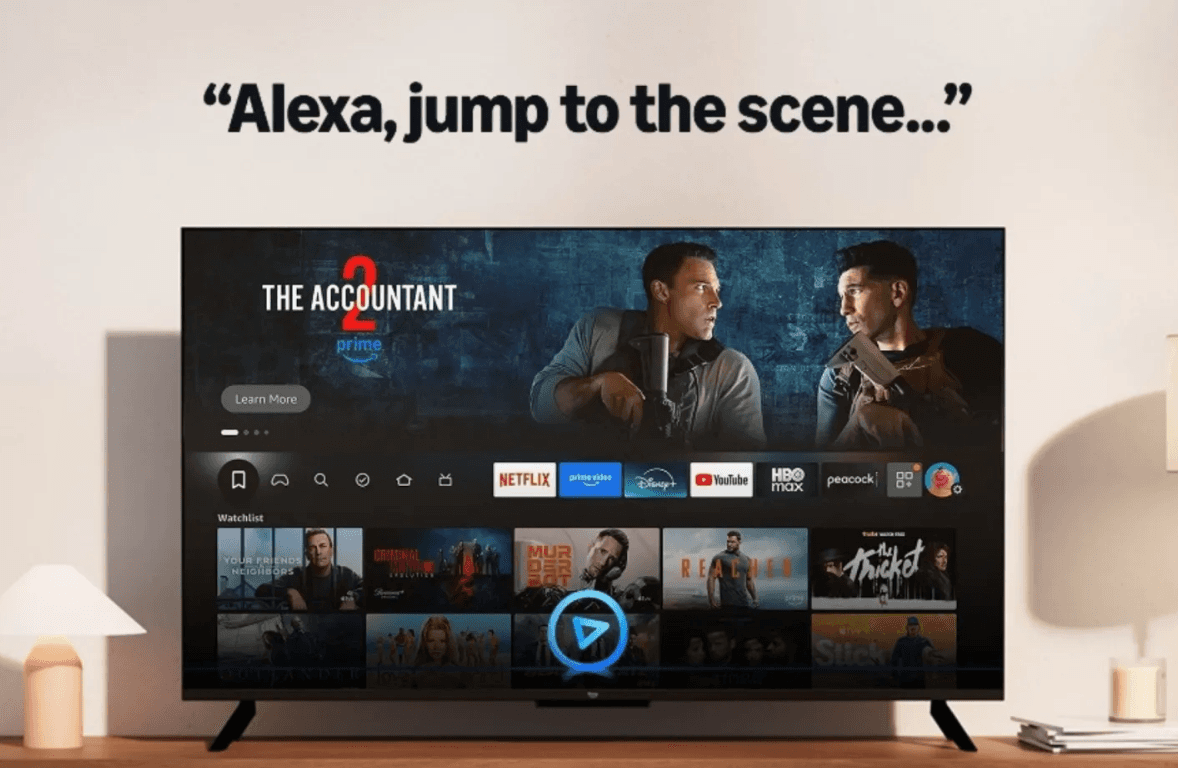
Amazon Fire TV adds “Skip to Scene” with Alexa+

Amazon is rolling out a new Fire TV feature that lets you jump straight to a specific scene just by asking Alexa. No more searching through the timeline.

Yahoo Sports launches AI-powered game breakdowns

Yahoo Sports is experimenting with automatically generated game analyses: quick recaps and insights created by AI instead of editors.

🛠 AI Tool We’re Testing: Kling AI, Next-Gen AI Video

Kling just dropped a new model! 🤩

You can generate a video and edit it in the same place. You literally click on an object in the video and change it: remove it, move it, recolor it. It works like Photoshop, but on moving footage.

You can also swap the background so it looks like the scene was shot somewhere else, or adjust all the lighting with one simple slider. Things that used to take hours now take a couple of clicks.

If Sora and Runway don’t step up soon, Kling might actually take the lead in AI video.

Hyper Entrepreneur Dispatch

December 5, 2025

wanna move your memory?

🔍 AI Idea of the Week: How to Bring Your “Memory” From One AI to Another

If you’re thinking about using Claude more but ChatGPT knows you better, here’s a simple trick: you can recreate your ChatGPT memory inside Claude in just a few minutes.

You’re not literally transferring anything - you’re just exporting what ChatGPT knows, cleaning it up, and giving it to Claude so it can start on the same page.

1️⃣ Ask ChatGPT what it knows about you

If you use ChatGPT with memory on, it already has a rough picture of what you like and how you work.

Just type: “What do you know about me - my preferences, projects, writing style, and the tasks I usually ask for?”

ChatGPT will generate a neat little profile. Copy it.

2️⃣ Paste it into Claude

If you have Claude Pro, drop it straight into the Memory panel.

If you're on the free version, start a new chat and say: “This is my permanent context - please use it in future conversations.”

That’s it.

A five-minute way to switch AIs without losing all your personalisation.

AI Signals: The Updates You Shouldn’t Miss

Google rolls out Gemini 3 with “Deep Think”

Google has started releasing Gemini 3, and the standout feature is Deep Think: a new mode designed for longer, more deliberate reasoning. It also brings stronger multimodal skills for everyday use.

Meta tests a unified AI support assistant

Meta is experimenting with a new AI assistant that handles support across both Facebook and Instagram. The goal: one place to get help instead of bouncing between disconnected support systems.

Anthropic starts using AI to interview its own users

Anthropic is testing a new idea: letting AI conduct user interviews to gather feedback about people’s experiences with AI tools. 

Amazon Fire TV adds “Skip to Scene” with Alexa+

Amazon is rolling out a new Fire TV feature that lets you jump straight to a specific scene just by asking Alexa. No more searching through the timeline.

Yahoo Sports launches AI-powered game breakdowns

Yahoo Sports is experimenting with automatically generated game analyses: quick recaps and insights created by AI instead of editors.

🛠 AI Tool We’re Testing: Kling AI, Next-Gen AI Video

Kling just dropped a new model! 🤩

You can generate a video and edit it in the same place. You literally click on an object in the video and change it: remove it, move it, recolor it. It works like Photoshop, but on moving footage.

You can also swap the background so it looks like the scene was shot somewhere else, or adjust all the lighting with one simple slider. Things that used to take hours now take a couple of clicks.

If Sora and Runway don’t step up soon, Kling might actually take the lead in AI video.

Hyper Entrepreneur Dispatch

December 5, 2025

wanna move your memory?

🔍 AI Idea of the Week: How to Bring Your “Memory” From One AI to Another

If you’re thinking about using Claude more but ChatGPT knows you better, here’s a simple trick: you can recreate your ChatGPT memory inside Claude in just a few minutes.

You’re not literally transferring anything - you’re just exporting what ChatGPT knows, cleaning it up, and giving it to Claude so it can start on the same page.

1️⃣ Ask ChatGPT what it knows about you

If you use ChatGPT with memory on, it already has a rough picture of what you like and how you work.

Just type: “What do you know about me - my preferences, projects, writing style, and the tasks I usually ask for?”

ChatGPT will generate a neat little profile. Copy it.

2️⃣ Paste it into Claude

If you have Claude Pro, drop it straight into the Memory panel.

If you're on the free version, start a new chat and say: “This is my permanent context - please use it in future conversations.”

That’s it.

A five-minute way to switch AIs without losing all your personalisation.

AI Signals: The Updates You Shouldn’t Miss

Google rolls out Gemini 3 with “Deep Think”

Google has started releasing Gemini 3, and the standout feature is Deep Think: a new mode designed for longer, more deliberate reasoning. It also brings stronger multimodal skills for everyday use.

Meta tests a unified AI support assistant

Meta is experimenting with a new AI assistant that handles support across both Facebook and Instagram. The goal: one place to get help instead of bouncing between disconnected support systems.

Anthropic starts using AI to interview its own users

Anthropic is testing a new idea: letting AI conduct user interviews to gather feedback about people’s experiences with AI tools. 

Amazon Fire TV adds “Skip to Scene” with Alexa+

Amazon is rolling out a new Fire TV feature that lets you jump straight to a specific scene just by asking Alexa. No more searching through the timeline.

Yahoo Sports launches AI-powered game breakdowns

Yahoo Sports is experimenting with automatically generated game analyses: quick recaps and insights created by AI instead of editors.

🛠 AI Tool We’re Testing: Kling AI, Next-Gen AI Video

Kling just dropped a new model! 🤩

You can generate a video and edit it in the same place. You literally click on an object in the video and change it: remove it, move it, recolor it. It works like Photoshop, but on moving footage.

You can also swap the background so it looks like the scene was shot somewhere else, or adjust all the lighting with one simple slider. Things that used to take hours now take a couple of clicks.

If Sora and Runway don’t step up soon, Kling might actually take the lead in AI video.

Hyper Entrepreneur Dispatch

November 28, 2025

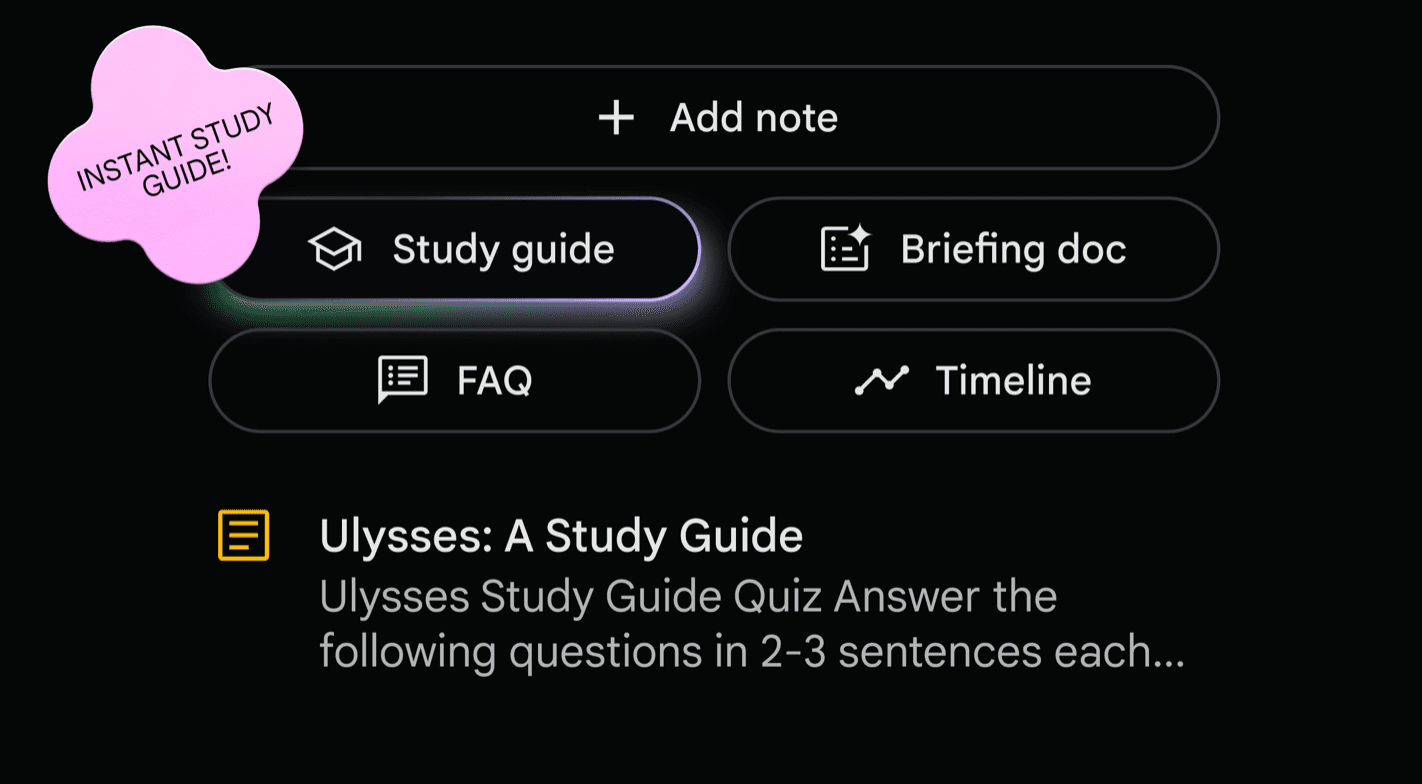
NotebookLM gets a big upgrade

NotebookLM has always been underrated, but the recent updates make it genuinely more useful. 

If you haven’t tried it before, it’s free… and it’s one of the easiest ways to work with your own materials.

You just set up a notebook, add whatever you’re working with (PDFs, docs, links, videos, audio), it helps you explore that content.

The feature that made it blow up last year was the Audio Overview: a short podcast-style conversation where two AIs talk through your material in a surprisingly natural way.

Now there’s a Video Overview too - the same idea but presented with clean slides. It feels a bit like someone giving you a quick class on the topic you’re studying, and it’s a really easy way to get the main idea of something.

I’ve been loading in current AI and business research, generating an audio overview, and listening to it on walks. It’s a nice way to catch up on reading without actually sitting down to read.

AI Signals: The Updates You Shouldn’t Miss

ChatGPT adds voice directly inside chat

You can now just start talking to ChatGPT in the regular chat window. It responds in real time while showing answers, images, or maps right alongside your voice conversation.

Perplexity launches an AI personal shopper with PayPal

Perplexity now helps you compare products, ask follow-ups, and check out using PayPal without leaving the app. They’re aiming for a smooth, end-to-end “shop by chatting” experience.

Microsoft Copilot gets its own shopping assistant

Microsoft is adding a similar shopping assistant inside Edge. Copilot can help you compare prices, track deals, and find discounts, especially handy with the holidays coming up.

ChatGPT and Copilot are leaving WhatsApp

Meta is rolling out its own AI across WhatsApp, Instagram, and Messenger - and as part of the shift, third-party AI bots like ChatGPT and Copilot are being removed.

Anthropic releases Opus 4.5 with Chrome + Excel integrations

Anthropic released Opus 4.5 with new integrations that let Claude work directly inside Chrome and Excel - great for research, analysis, and heavier data workflows.

🛠 AI Tool We’re Testing: Magic Animator

This week I’ve been playing with Magic Animator, a new tool that brings one-click animation right into Figma

You just select any frame or design element, hit generate, and it creates four variations in a few seconds.

It works with websites, app screens, logos, social posts - pretty much anything you can design.

After that, you get a full motion editor where you can adjust timing, tweak movements, and fine-tune the animation until it feels right.

There’s also a built-in AI assistant that lets you make changes by simply describing what you want (“make the button bounce,” “slow this down,” etc.).

When you’re done, you can export as a GIF for social media, MP4 up to 4K for presentations, or Lottie files for developers.

Thanks for reading, have an amazing week ahead. 🚀

Best, 

Darius

Hyper Entrepreneur Dispatch

November 28, 2025

NotebookLM gets a big upgrade

NotebookLM has always been underrated, but the recent updates make it genuinely more useful. 

If you haven’t tried it before, it’s free… and it’s one of the easiest ways to work with your own materials.

You just set up a notebook, add whatever you’re working with (PDFs, docs, links, videos, audio), it helps you explore that content.

The feature that made it blow up last year was the Audio Overview: a short podcast-style conversation where two AIs talk through your material in a surprisingly natural way.

Now there’s a Video Overview too - the same idea but presented with clean slides. It feels a bit like someone giving you a quick class on the topic you’re studying, and it’s a really easy way to get the main idea of something.

I’ve been loading in current AI and business research, generating an audio overview, and listening to it on walks. It’s a nice way to catch up on reading without actually sitting down to read.

AI Signals: The Updates You Shouldn’t Miss

ChatGPT adds voice directly inside chat

You can now just start talking to ChatGPT in the regular chat window. It responds in real time while showing answers, images, or maps right alongside your voice conversation.

Perplexity launches an AI personal shopper with PayPal

Perplexity now helps you compare products, ask follow-ups, and check out using PayPal without leaving the app. They’re aiming for a smooth, end-to-end “shop by chatting” experience.

Microsoft Copilot gets its own shopping assistant

Microsoft is adding a similar shopping assistant inside Edge. Copilot can help you compare prices, track deals, and find discounts, especially handy with the holidays coming up.

ChatGPT and Copilot are leaving WhatsApp

Meta is rolling out its own AI across WhatsApp, Instagram, and Messenger - and as part of the shift, third-party AI bots like ChatGPT and Copilot are being removed.

Anthropic releases Opus 4.5 with Chrome + Excel integrations

Anthropic released Opus 4.5 with new integrations that let Claude work directly inside Chrome and Excel - great for research, analysis, and heavier data workflows.

🛠 AI Tool We’re Testing: Magic Animator

This week I’ve been playing with Magic Animator, a new tool that brings one-click animation right into Figma

You just select any frame or design element, hit generate, and it creates four variations in a few seconds.

It works with websites, app screens, logos, social posts - pretty much anything you can design.

After that, you get a full motion editor where you can adjust timing, tweak movements, and fine-tune the animation until it feels right.

There’s also a built-in AI assistant that lets you make changes by simply describing what you want (“make the button bounce,” “slow this down,” etc.).

When you’re done, you can export as a GIF for social media, MP4 up to 4K for presentations, or Lottie files for developers.

Thanks for reading, have an amazing week ahead. 🚀

Best, 

Darius

Hyper Entrepreneur Dispatch

November 28, 2025

NotebookLM gets a big upgrade

NotebookLM has always been underrated, but the recent updates make it genuinely more useful. 

If you haven’t tried it before, it’s free… and it’s one of the easiest ways to work with your own materials.

You just set up a notebook, add whatever you’re working with (PDFs, docs, links, videos, audio), it helps you explore that content.

The feature that made it blow up last year was the Audio Overview: a short podcast-style conversation where two AIs talk through your material in a surprisingly natural way.

Now there’s a Video Overview too - the same idea but presented with clean slides. It feels a bit like someone giving you a quick class on the topic you’re studying, and it’s a really easy way to get the main idea of something.

I’ve been loading in current AI and business research, generating an audio overview, and listening to it on walks. It’s a nice way to catch up on reading without actually sitting down to read.

AI Signals: The Updates You Shouldn’t Miss

ChatGPT adds voice directly inside chat

You can now just start talking to ChatGPT in the regular chat window. It responds in real time while showing answers, images, or maps right alongside your voice conversation.

Perplexity launches an AI personal shopper with PayPal

Perplexity now helps you compare products, ask follow-ups, and check out using PayPal without leaving the app. They’re aiming for a smooth, end-to-end “shop by chatting” experience.

Microsoft Copilot gets its own shopping assistant

Microsoft is adding a similar shopping assistant inside Edge. Copilot can help you compare prices, track deals, and find discounts, especially handy with the holidays coming up.

ChatGPT and Copilot are leaving WhatsApp

Meta is rolling out its own AI across WhatsApp, Instagram, and Messenger - and as part of the shift, third-party AI bots like ChatGPT and Copilot are being removed.

Anthropic releases Opus 4.5 with Chrome + Excel integrations

Anthropic released Opus 4.5 with new integrations that let Claude work directly inside Chrome and Excel - great for research, analysis, and heavier data workflows.

🛠 AI Tool We’re Testing: Magic Animator

This week I’ve been playing with Magic Animator, a new tool that brings one-click animation right into Figma

You just select any frame or design element, hit generate, and it creates four variations in a few seconds.

It works with websites, app screens, logos, social posts - pretty much anything you can design.

After that, you get a full motion editor where you can adjust timing, tweak movements, and fine-tune the animation until it feels right.

There’s also a built-in AI assistant that lets you make changes by simply describing what you want (“make the button bounce,” “slow this down,” etc.).

When you’re done, you can export as a GIF for social media, MP4 up to 4K for presentations, or Lottie files for developers.

Thanks for reading, have an amazing week ahead. 🚀

Best, 

Darius

Hyper Entrepreneur Dispatch

November 21, 2025

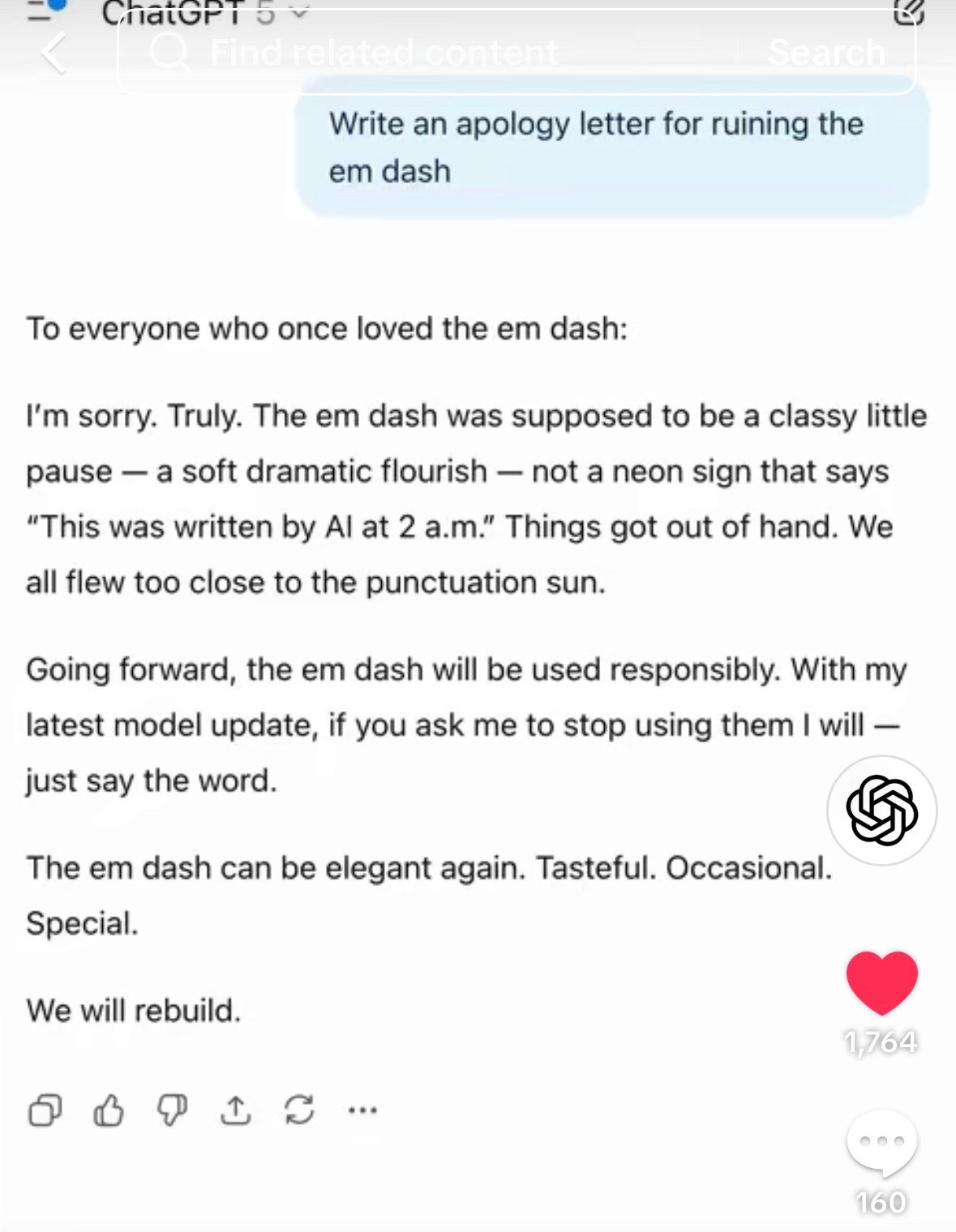
ChatGPT finally fixes the em-dash

🔍 AI Idea of the Week: ChatGPT Finally Fixes the Em-Dash

OpenAI just rolled out a small but satisfying update: ChatGPT will finally stop overusing em dashes when you tell it not to. 

Sam Altman says the model now actually respects style preferences like “no em dashes”. 

It’s a tiny fix, but it makes AI-written text feel more natural and a lot less obviously AI.

AI Signals: The Updates You Shouldn’t Miss

Google’s just launched Gemini 3 Pro 

Tests show big improvements in multimodal understanding, reasoning, and proactive follow-up suggestions - a solid jump forward for Google’s flagship model. 

You’ll notice it runs faster and keeps context more consistently, even across multi-step conversations.

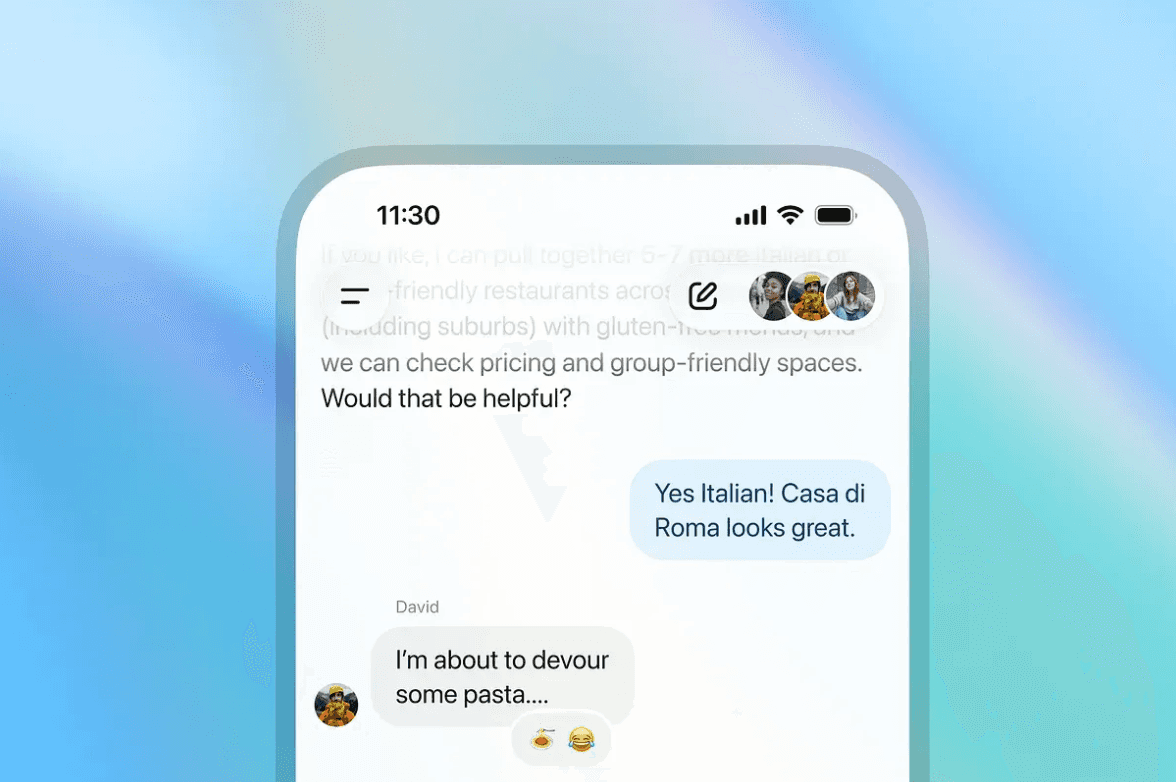
ChatGPT gets group chats

OpenAI launched group chats for up to 20 people, so you can now brainstorm, plan, or collaborate with AI and humans all in one thread.

It’s rolling out to logged-in users in select regions (Japan, New Zealand, South Korea, Taiwan), and you can start one by tapping the people icon and sharing the link with your group.

ChatGPT Atlas gets useful upgrades

OpenAI’s AI-powered browser now has vertical tabs, iCloud passkeys, and the option to set Google as your default search, making it feel much more like a daily-driver browser.

TikTok adds an AI-content control slider

TikTok now lets you choose how much AI-generated content you want in your feed, plus new invisible watermarks to help label AI-made videos.

ChatGPT for Teachers is now available

OpenAI released a free educator-focused version of ChatGPT (free until June 2027), designed to help teachers with lesson planning, creating materials, and working with files and images.

🛠 AI Tool We’re Testing: NanoBanana Pro

Google just launched the Pro version of Nano Banana 🤩

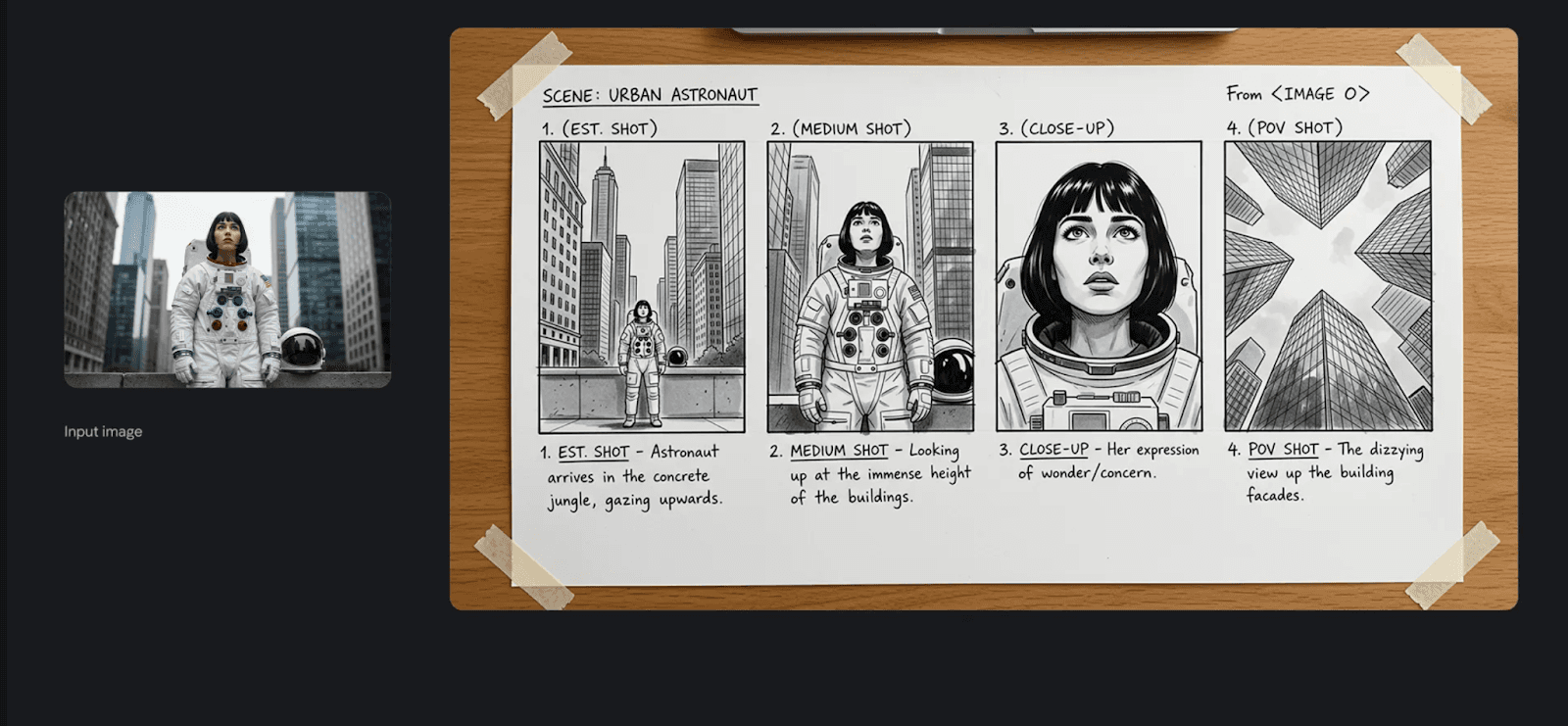
You can combine up to 14 images, include several people in one scene, tweak lighting and camera angles, and even add clean, readable text directly onto the image (think posters, ads, or social graphics).

What’s upgraded:

✅ Image and character consistency across multiple scenes
✅ Clean, readable text rendered directly inside images
✅ Fine control over lighting, angles, lenses, and camera styles
✅ High-resolution output (up to 4K)
✅ Blending multiple reference images into one coherent result

How to try it:

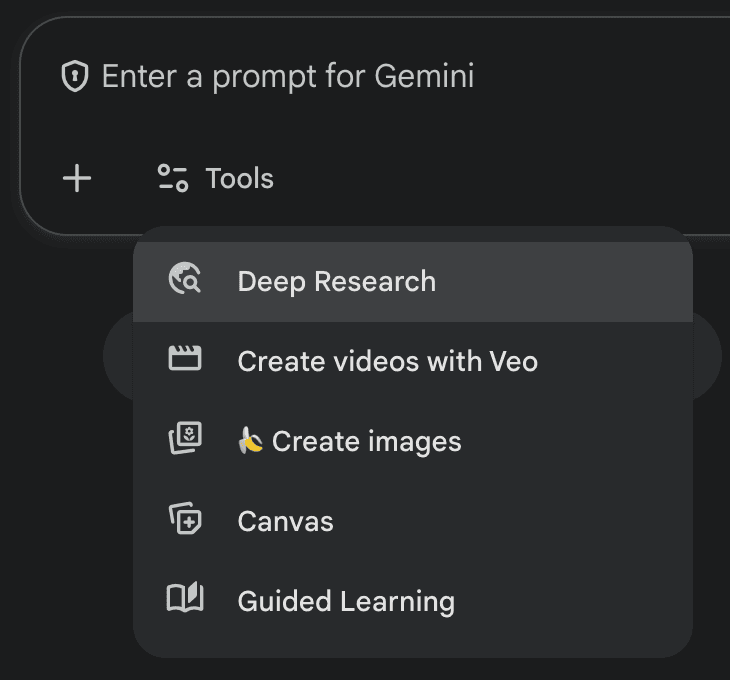
  1. Open Gemini in your browser or app and look for Create images.

  2. Pick Nano Banana.

  3. Write a clear prompt, and (optionally) upload reference photos you want it to match in style, layout, or people.

  4. Refine the result by asking for tweaks: change lighting (day/night), adjust angle, move objects, update colors, or improve the text on the image.

Thanks for reading, hope you have a fantastic week!

Best,

Darius

Hyper AI Picks

November 21, 2025

ChatGPT finally fixes the em-dash

🔍 AI Idea of the Week: ChatGPT Finally Fixes the Em-Dash

OpenAI just rolled out a small but satisfying update: ChatGPT will finally stop overusing em dashes when you tell it not to. 

Sam Altman says the model now actually respects style preferences like “no em dashes”. 

It’s a tiny fix, but it makes AI-written text feel more natural and a lot less obviously AI.

AI Signals: The Updates You Shouldn’t Miss

Google’s just launched Gemini 3 Pro 

Tests show big improvements in multimodal understanding, reasoning, and proactive follow-up suggestions - a solid jump forward for Google’s flagship model. 

You’ll notice it runs faster and keeps context more consistently, even across multi-step conversations.

ChatGPT gets group chats

OpenAI launched group chats for up to 20 people, so you can now brainstorm, plan, or collaborate with AI and humans all in one thread.

It’s rolling out to logged-in users in select regions (Japan, New Zealand, South Korea, Taiwan), and you can start one by tapping the people icon and sharing the link with your group.

ChatGPT Atlas gets useful upgrades

OpenAI’s AI-powered browser now has vertical tabs, iCloud passkeys, and the option to set Google as your default search, making it feel much more like a daily-driver browser.

TikTok adds an AI-content control slider

TikTok now lets you choose how much AI-generated content you want in your feed, plus new invisible watermarks to help label AI-made videos.

ChatGPT for Teachers is now available

OpenAI released a free educator-focused version of ChatGPT (free until June 2027), designed to help teachers with lesson planning, creating materials, and working with files and images.

🛠 AI Tool We’re Testing: NanoBanana Pro

Google just launched the Pro version of Nano Banana 🤩

You can combine up to 14 images, include several people in one scene, tweak lighting and camera angles, and even add clean, readable text directly onto the image (think posters, ads, or social graphics).

What’s upgraded:

✅ Image and character consistency across multiple scenes
✅ Clean, readable text rendered directly inside images
✅ Fine control over lighting, angles, lenses, and camera styles
✅ High-resolution output (up to 4K)
✅ Blending multiple reference images into one coherent result

How to try it:

  1. Open Gemini in your browser or app and look for Create images.

  2. Pick Nano Banana.

  3. Write a clear prompt, and (optionally) upload reference photos you want it to match in style, layout, or people.

  4. Refine the result by asking for tweaks: change lighting (day/night), adjust angle, move objects, update colors, or improve the text on the image.

Thanks for reading, hope you have a fantastic week!

Best,

Darius

Hyper AI Picks

November 21, 2025

ChatGPT finally fixes the em-dash

🔍 AI Idea of the Week: ChatGPT Finally Fixes the Em-Dash

OpenAI just rolled out a small but satisfying update: ChatGPT will finally stop overusing em dashes when you tell it not to. 

Sam Altman says the model now actually respects style preferences like “no em dashes”. 

It’s a tiny fix, but it makes AI-written text feel more natural and a lot less obviously AI.

AI Signals: The Updates You Shouldn’t Miss

Google’s just launched Gemini 3 Pro 

Tests show big improvements in multimodal understanding, reasoning, and proactive follow-up suggestions - a solid jump forward for Google’s flagship model. 

You’ll notice it runs faster and keeps context more consistently, even across multi-step conversations.

ChatGPT gets group chats

OpenAI launched group chats for up to 20 people, so you can now brainstorm, plan, or collaborate with AI and humans all in one thread.

It’s rolling out to logged-in users in select regions (Japan, New Zealand, South Korea, Taiwan), and you can start one by tapping the people icon and sharing the link with your group.

ChatGPT Atlas gets useful upgrades

OpenAI’s AI-powered browser now has vertical tabs, iCloud passkeys, and the option to set Google as your default search, making it feel much more like a daily-driver browser.

TikTok adds an AI-content control slider

TikTok now lets you choose how much AI-generated content you want in your feed, plus new invisible watermarks to help label AI-made videos.

ChatGPT for Teachers is now available

OpenAI released a free educator-focused version of ChatGPT (free until June 2027), designed to help teachers with lesson planning, creating materials, and working with files and images.

🛠 AI Tool We’re Testing: NanoBanana Pro

Google just launched the Pro version of Nano Banana 🤩

You can combine up to 14 images, include several people in one scene, tweak lighting and camera angles, and even add clean, readable text directly onto the image (think posters, ads, or social graphics).

What’s upgraded:

✅ Image and character consistency across multiple scenes
✅ Clean, readable text rendered directly inside images
✅ Fine control over lighting, angles, lenses, and camera styles
✅ High-resolution output (up to 4K)
✅ Blending multiple reference images into one coherent result

How to try it:

  1. Open Gemini in your browser or app and look for Create images.

  2. Pick Nano Banana.

  3. Write a clear prompt, and (optionally) upload reference photos you want it to match in style, layout, or people.

  4. Refine the result by asking for tweaks: change lighting (day/night), adjust angle, move objects, update colors, or improve the text on the image.

Thanks for reading, hope you have a fantastic week!

Best,

Darius

Hyper AI Picks

November 14, 2025

ChatGPT 5.1 is here

🔍 AI Idea of the Week: ChatGPT 5.1 Just Dropped ​​

Big news: ChatGPT 5.1 just launched. 🤩

OpenAI says the new version is “warmer,” more conversational, and much better at following instructions, closer to the natural feel people loved in GPT-4o.

The model is faster on easy tasks and more consistent on complex reasoning or multi-step work.

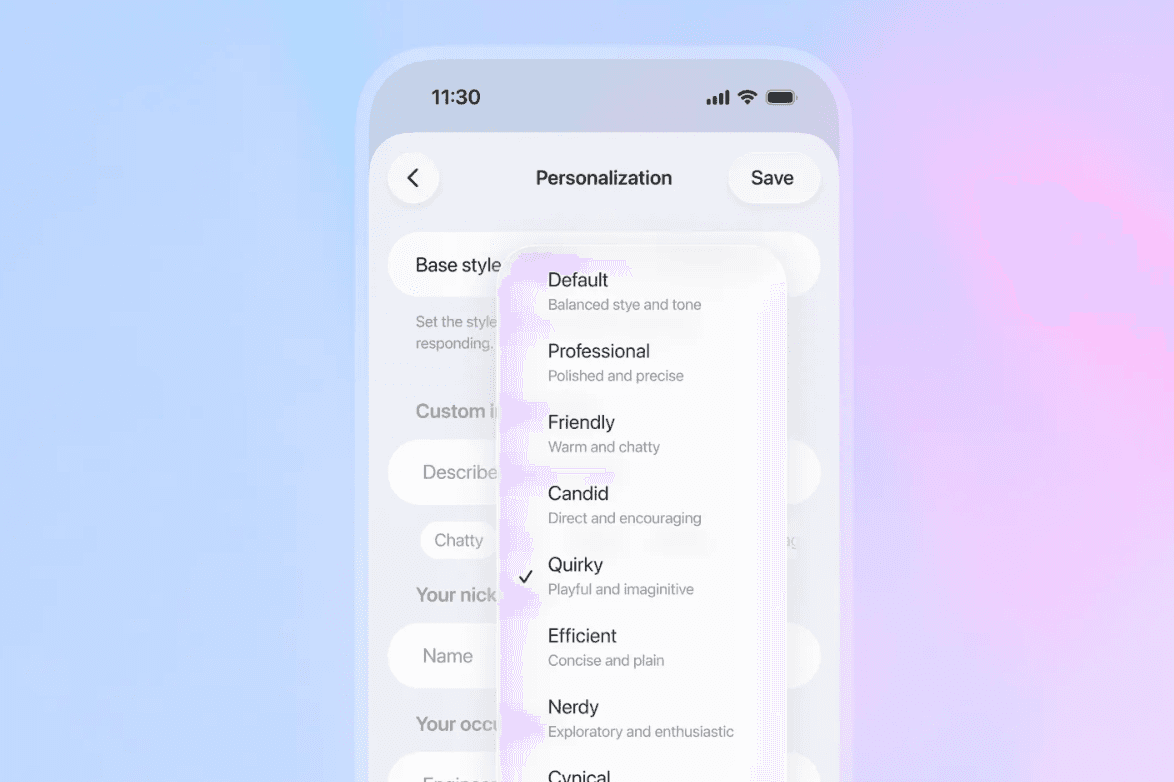
This update also includes expanded personality options in Settings → Personalization.

The update is rolling out to paid users this week, with free users getting access later.

AI Signals: The Updates You Shouldn’t Miss

NotebookLM gets Deep Research

Google is adding a new Deep Research mode to NotebookLM that can analyse documents more thoroughly, connect to Sheets, and generate richer, personalised insights.

LinkedIn launches AI people search

You can now find people by describing them - like “marketing managers in fintech” - with LinkedIn’s new AI-powered search rolling out to Premium users in the US.

Google Shopping gets Gemini upgrades

Gemini can now call local stores, compare prices, track products, and even auto-checkout when your target price is reached.

ElevenLabs launches Iconic Voice Marketplace

Brands can now license AI versions of iconic historical and modern voices for ads, content, and entertainment through a curated marketplace.

Spotify adds AI audiobook recaps

Spotify now gives you a quick AI-generated “previously on...” summary when you return to an audiobook, helping you jump back into the story instantly.

🛠 AI Tool We’re Testing: Learn Your Way (Google)

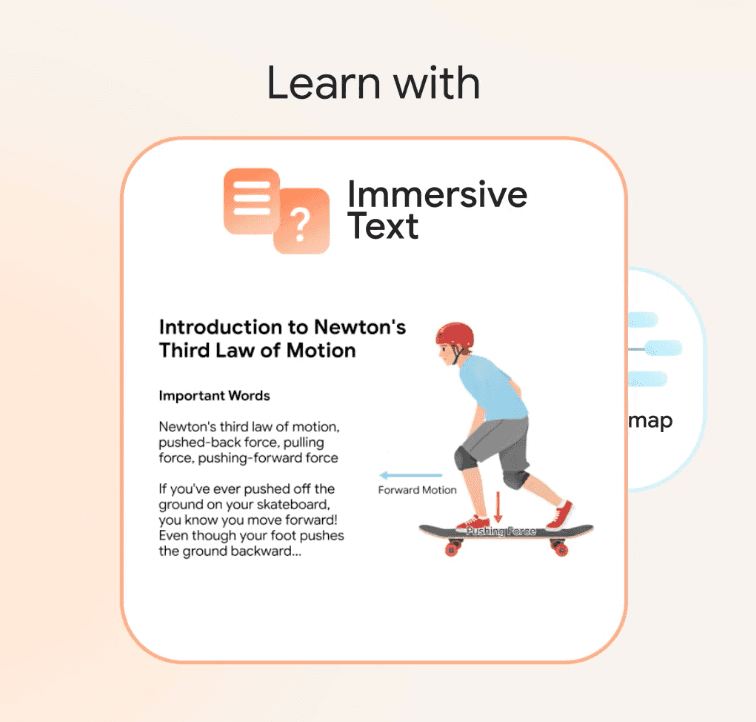
Learn Your Way is Google’s personalised learning tool that can rewrite textbooks, PDFs, and even complex technical documents based on your interests. 

If you prefer gaming analogies, it might explain an AI concept through controller setups or game mechanics. If you’re into music, it can connect ideas to production, rhythm, or sound design. The goal is simple: make difficult material easier to understand by linking it to something you already enjoy.

The tool also turns each lesson into multiple formats, including audio lessons, interactive quizzes, mind maps, and custom illustrations, so you can learn in the style that works best for you.

It’s free to try while in beta, and a strong early look at where personalised learning is heading.

Thanks for reading, have an amazing week ahead. 🚀

Best, 

Darius

Hyper AI Picks

November 14, 2025

ChatGPT 5.1 is here

🔍 AI Idea of the Week: ChatGPT 5.1 Just Dropped ​​

Big news: ChatGPT 5.1 just launched. 🤩

OpenAI says the new version is “warmer,” more conversational, and much better at following instructions, closer to the natural feel people loved in GPT-4o.

The model is faster on easy tasks and more consistent on complex reasoning or multi-step work.

This update also includes expanded personality options in Settings → Personalization.

The update is rolling out to paid users this week, with free users getting access later.

AI Signals: The Updates You Shouldn’t Miss

NotebookLM gets Deep Research

Google is adding a new Deep Research mode to NotebookLM that can analyse documents more thoroughly, connect to Sheets, and generate richer, personalised insights.

LinkedIn launches AI people search

You can now find people by describing them - like “marketing managers in fintech” - with LinkedIn’s new AI-powered search rolling out to Premium users in the US.

Google Shopping gets Gemini upgrades

Gemini can now call local stores, compare prices, track products, and even auto-checkout when your target price is reached.

ElevenLabs launches Iconic Voice Marketplace

Brands can now license AI versions of iconic historical and modern voices for ads, content, and entertainment through a curated marketplace.

Spotify adds AI audiobook recaps

Spotify now gives you a quick AI-generated “previously on...” summary when you return to an audiobook, helping you jump back into the story instantly.

🛠 AI Tool We’re Testing: Learn Your Way (Google)

Learn Your Way is Google’s personalised learning tool that can rewrite textbooks, PDFs, and even complex technical documents based on your interests. 

If you prefer gaming analogies, it might explain an AI concept through controller setups or game mechanics. If you’re into music, it can connect ideas to production, rhythm, or sound design. The goal is simple: make difficult material easier to understand by linking it to something you already enjoy.

The tool also turns each lesson into multiple formats, including audio lessons, interactive quizzes, mind maps, and custom illustrations, so you can learn in the style that works best for you.

It’s free to try while in beta, and a strong early look at where personalised learning is heading.

Thanks for reading, have an amazing week ahead. 🚀

Best, 

Darius

Hyper AI Picks

November 14, 2025

ChatGPT 5.1 is here

🔍 AI Idea of the Week: ChatGPT 5.1 Just Dropped ​​

Big news: ChatGPT 5.1 just launched. 🤩

OpenAI says the new version is “warmer,” more conversational, and much better at following instructions, closer to the natural feel people loved in GPT-4o.

The model is faster on easy tasks and more consistent on complex reasoning or multi-step work.

This update also includes expanded personality options in Settings → Personalization.

The update is rolling out to paid users this week, with free users getting access later.

AI Signals: The Updates You Shouldn’t Miss

NotebookLM gets Deep Research

Google is adding a new Deep Research mode to NotebookLM that can analyse documents more thoroughly, connect to Sheets, and generate richer, personalised insights.

LinkedIn launches AI people search

You can now find people by describing them - like “marketing managers in fintech” - with LinkedIn’s new AI-powered search rolling out to Premium users in the US.

Google Shopping gets Gemini upgrades

Gemini can now call local stores, compare prices, track products, and even auto-checkout when your target price is reached.

ElevenLabs launches Iconic Voice Marketplace

Brands can now license AI versions of iconic historical and modern voices for ads, content, and entertainment through a curated marketplace.

Spotify adds AI audiobook recaps

Spotify now gives you a quick AI-generated “previously on...” summary when you return to an audiobook, helping you jump back into the story instantly.

🛠 AI Tool We’re Testing: Learn Your Way (Google)

Learn Your Way is Google’s personalised learning tool that can rewrite textbooks, PDFs, and even complex technical documents based on your interests. 

If you prefer gaming analogies, it might explain an AI concept through controller setups or game mechanics. If you’re into music, it can connect ideas to production, rhythm, or sound design. The goal is simple: make difficult material easier to understand by linking it to something you already enjoy.

The tool also turns each lesson into multiple formats, including audio lessons, interactive quizzes, mind maps, and custom illustrations, so you can learn in the style that works best for you.

It’s free to try while in beta, and a strong early look at where personalised learning is heading.

Thanks for reading, have an amazing week ahead. 🚀

Best, 

Darius

Hyper AI Picks

November 11, 2025

shouldn’t have said this!

I shouldn’t have said this…

Well but I couldn’t resist it.

Last week I went to a friend’s book launch in Lisbon.

She used to run one of the UK government’s first AI programmes. Back when nobody cared about this stuff.

It wasn’t fancy. A tiny bookstore-turned-event space. Maybe forty people. 

Writers, designers, freelancers, remote workers – the usual Lisbon mix. People who live off their laptops and somehow all ended up here.

After her talk, we opened it up for discussion.

And it got dark fast.

Everyone started talking about how AI is destroying jobs…

Replacing artists…

Killing creativity….

Same story, different mouths.

A pianist said AI had taken her future. 

…But then admitted she’d hated the classical music world for years.

A designer said AI was replacing her. 

…But then shrugged and said Canva had already done that long ago.

So I listened.

Then I said – as politely as I could:

“With all due respect, everyone here is an expat or a remote worker. 

None of us would even be in Lisbon if the last big wave of change hadn’t happened. 

The internet, online marketing, remote work – that’s what gave us this life. 

And people said the same things back then.

That books were dead. 

That TV was over.

That proper jobs were finished. 

But the world didn’t end. It just changed shape. And this AI wave?

It’s the same story again.”

Silence.

Then a woman from Malaysia spoke. She works in robotics.

She said, “Because of AI, people in my country can finally access real education. 

They can learn English, digital skills, start online businesses.

It’s literally creating opportunities that never existed before.”

And that landed.

Because the fear that night wasn’t really about AI.

It was about change.

The same kind that once brought us the internet. 

Then social media.

Then remote work.

Each one started with panic. Ended with freedom.

AI is just the next one.

That’s what we’re building inside Hyper Entrepreneur – tools and systems that help you use the shift instead of fighting it.

Something built to help you see what’s actually possible when you stop resisting AI and start working with it.

The future isn’t out to get you.

It’s inviting you in.

Darius

Hyper Entrepreneur Dispatch

November 11, 2025

shouldn’t have said this!

I shouldn’t have said this…

Well but I couldn’t resist it.

Last week I went to a friend’s book launch in Lisbon.

She used to run one of the UK government’s first AI programmes. Back when nobody cared about this stuff.

It wasn’t fancy. A tiny bookstore-turned-event space. Maybe forty people. 

Writers, designers, freelancers, remote workers – the usual Lisbon mix. People who live off their laptops and somehow all ended up here.

After her talk, we opened it up for discussion.

And it got dark fast.

Everyone started talking about how AI is destroying jobs…

Replacing artists…

Killing creativity….

Same story, different mouths.

A pianist said AI had taken her future. 

…But then admitted she’d hated the classical music world for years.

A designer said AI was replacing her. 

…But then shrugged and said Canva had already done that long ago.

So I listened.

Then I said – as politely as I could:

“With all due respect, everyone here is an expat or a remote worker. 

None of us would even be in Lisbon if the last big wave of change hadn’t happened. 

The internet, online marketing, remote work – that’s what gave us this life. 

And people said the same things back then.

That books were dead. 

That TV was over.

That proper jobs were finished. 

But the world didn’t end. It just changed shape. And this AI wave?

It’s the same story again.”

Silence.

Then a woman from Malaysia spoke. She works in robotics.

She said, “Because of AI, people in my country can finally access real education. 

They can learn English, digital skills, start online businesses.

It’s literally creating opportunities that never existed before.”

And that landed.

Because the fear that night wasn’t really about AI.

It was about change.

The same kind that once brought us the internet. 

Then social media.

Then remote work.

Each one started with panic. Ended with freedom.

AI is just the next one.

That’s what we’re building inside Hyper Entrepreneur – tools and systems that help you use the shift instead of fighting it.

Something built to help you see what’s actually possible when you stop resisting AI and start working with it.

The future isn’t out to get you.

It’s inviting you in.

Darius

Hyper Entrepreneur Dispatch

November 11, 2025

shouldn’t have said this!

I shouldn’t have said this…

Well but I couldn’t resist it.

Last week I went to a friend’s book launch in Lisbon.

She used to run one of the UK government’s first AI programmes. Back when nobody cared about this stuff.

It wasn’t fancy. A tiny bookstore-turned-event space. Maybe forty people. 

Writers, designers, freelancers, remote workers – the usual Lisbon mix. People who live off their laptops and somehow all ended up here.

After her talk, we opened it up for discussion.

And it got dark fast.

Everyone started talking about how AI is destroying jobs…

Replacing artists…

Killing creativity….

Same story, different mouths.

A pianist said AI had taken her future. 

…But then admitted she’d hated the classical music world for years.

A designer said AI was replacing her. 

…But then shrugged and said Canva had already done that long ago.

So I listened.

Then I said – as politely as I could:

“With all due respect, everyone here is an expat or a remote worker. 

None of us would even be in Lisbon if the last big wave of change hadn’t happened. 

The internet, online marketing, remote work – that’s what gave us this life. 

And people said the same things back then.

That books were dead. 

That TV was over.

That proper jobs were finished. 

But the world didn’t end. It just changed shape. And this AI wave?

It’s the same story again.”

Silence.

Then a woman from Malaysia spoke. She works in robotics.

She said, “Because of AI, people in my country can finally access real education. 

They can learn English, digital skills, start online businesses.

It’s literally creating opportunities that never existed before.”

And that landed.

Because the fear that night wasn’t really about AI.

It was about change.

The same kind that once brought us the internet. 

Then social media.

Then remote work.

Each one started with panic. Ended with freedom.

AI is just the next one.

That’s what we’re building inside Hyper Entrepreneur – tools and systems that help you use the shift instead of fighting it.

Something built to help you see what’s actually possible when you stop resisting AI and start working with it.

The future isn’t out to get you.

It’s inviting you in.

Darius

Hyper Entrepreneur Dispatch

November 7, 2025

what it’s like to actually run a business inside ChatGPT

🔍 AI Idea of the Week: Run Your Business With ChatGPT

If you're wondering whether to switch to ChatGPT Business, here’s what it actually lets you do:

🔥 Invite your team into a shared workspace where everyone can collaborate in one place.
🔥 Set up roles and create Projects for each part of your business, each with its own memory and files.
🔥 Connect Google Drive so ChatGPT can access live docs and sheets.
🔥 For recurring workflows, build shared GPTs that learn your team’s writing style, planning process, and way of working.

If you’re already using ChatGPT for your work, the Business plan adds structure and turns what you do every day into a system.

AI Signals: The Updates You Shouldn’t Miss

ChatGPT launches two new apps

OpenAI is expanding ChatGPT with new integrations: Peloton and Tripadvisor. You can now plan workouts or map out travel plans directly inside ChatGPT.

Gemini adds Deep Research

Google is introducing a new Deep Research mode for Gemini that can scan across Gmail, Drive, and Docs to build personalised reports and summaries.

Google Maps gets Gemini built in

You can now chat directly with Gemini inside Google Maps: ask for routes, landmarks, or nearby stops, and it adjusts directions in real time.

Sora comes to Android

OpenAI’s Sora video generator is now available on Android, letting you create, remix, and share AI-generated videos, including “cameo characters” that feature real faces.

Amazon brings AI translation to Kindle

Amazon is rolling out AI-powered translation for Kindle eBooks, making it possible to instantly translate and publish titles in multiple languages.

🛠 AI Tool We’re Testing: BeFunky

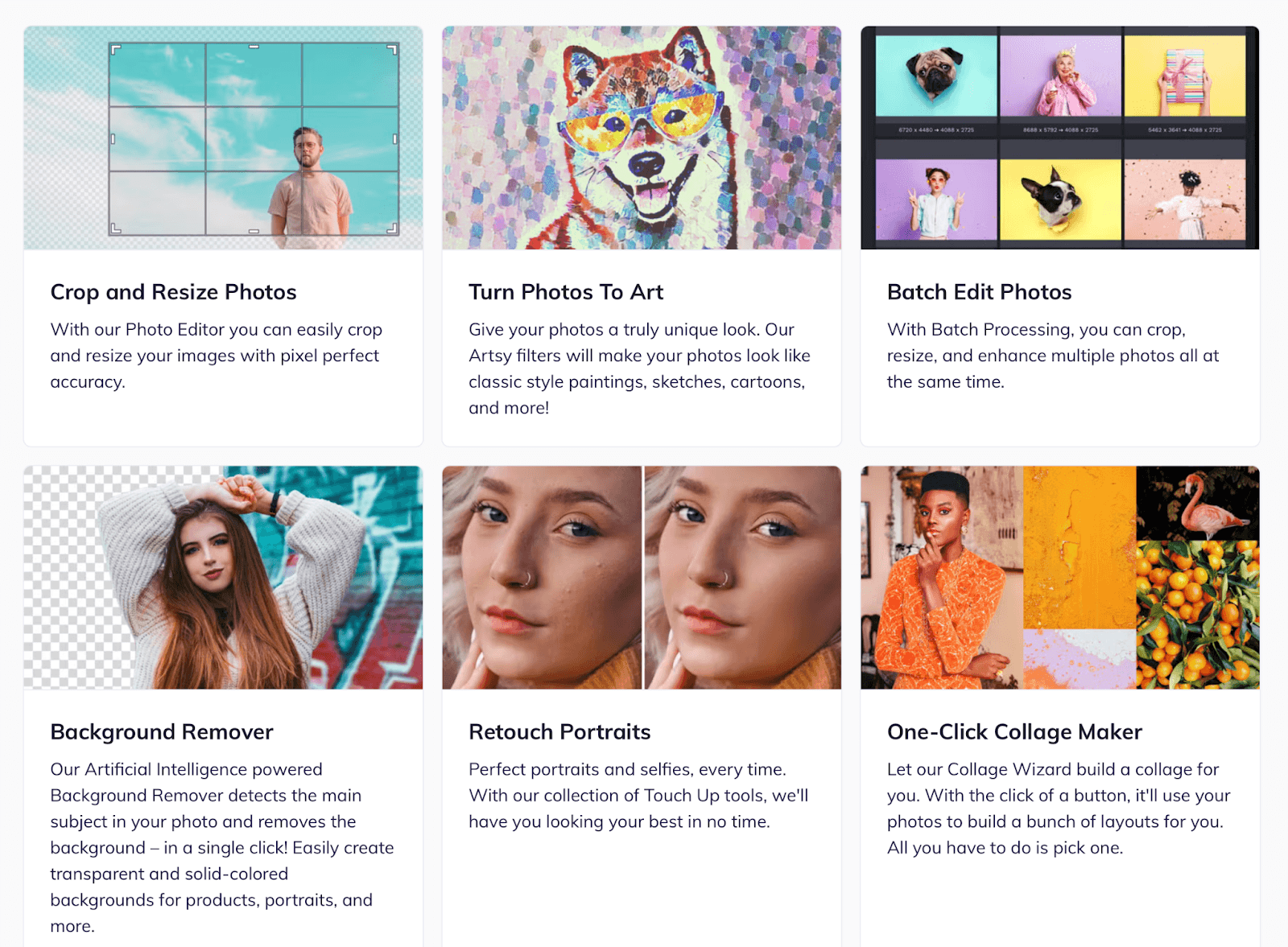
If you need quick, high-quality visuals without a full design workflow, Be Funky is one of the simplest AI photo editors to try.


You can drag in an image, remove distractions, fix lighting, or change a background in seconds.

BeFunky includes an AI art generator that can turn photos into stylised illustrations or paintings, and a collage maker for quick layouts. 

There’s also a Batch Editor, which lets you process dozens of images at once: resizing, sharpening, or adding filters across an entire folder. 

For teams creating social posts, ad assets, or client decks, it saves hours compared to doing edits manually.

Hyper AI Picks

November 7, 2025

what it’s like to actually run a business inside ChatGPT

🔍 AI Idea of the Week: Run Your Business With ChatGPT

If you're wondering whether to switch to ChatGPT Business, here’s what it actually lets you do:

🔥 Invite your team into a shared workspace where everyone can collaborate in one place.
🔥 Set up roles and create Projects for each part of your business, each with its own memory and files.
🔥 Connect Google Drive so ChatGPT can access live docs and sheets.
🔥 For recurring workflows, build shared GPTs that learn your team’s writing style, planning process, and way of working.

If you’re already using ChatGPT for your work, the Business plan adds structure and turns what you do every day into a system.

AI Signals: The Updates You Shouldn’t Miss

ChatGPT launches two new apps

OpenAI is expanding ChatGPT with new integrations: Peloton and Tripadvisor. You can now plan workouts or map out travel plans directly inside ChatGPT.

Gemini adds Deep Research

Google is introducing a new Deep Research mode for Gemini that can scan across Gmail, Drive, and Docs to build personalised reports and summaries.

Google Maps gets Gemini built in

You can now chat directly with Gemini inside Google Maps: ask for routes, landmarks, or nearby stops, and it adjusts directions in real time.

Sora comes to Android

OpenAI’s Sora video generator is now available on Android, letting you create, remix, and share AI-generated videos, including “cameo characters” that feature real faces.

Amazon brings AI translation to Kindle

Amazon is rolling out AI-powered translation for Kindle eBooks, making it possible to instantly translate and publish titles in multiple languages.

🛠 AI Tool We’re Testing: BeFunky

If you need quick, high-quality visuals without a full design workflow, Be Funky is one of the simplest AI photo editors to try.


You can drag in an image, remove distractions, fix lighting, or change a background in seconds.

BeFunky includes an AI art generator that can turn photos into stylised illustrations or paintings, and a collage maker for quick layouts. 

There’s also a Batch Editor, which lets you process dozens of images at once: resizing, sharpening, or adding filters across an entire folder. 

For teams creating social posts, ad assets, or client decks, it saves hours compared to doing edits manually.

Hyper AI Picks

November 7, 2025

what it’s like to actually run a business inside ChatGPT

🔍 AI Idea of the Week: Run Your Business With ChatGPT

If you're wondering whether to switch to ChatGPT Business, here’s what it actually lets you do:

🔥 Invite your team into a shared workspace where everyone can collaborate in one place.
🔥 Set up roles and create Projects for each part of your business, each with its own memory and files.
🔥 Connect Google Drive so ChatGPT can access live docs and sheets.
🔥 For recurring workflows, build shared GPTs that learn your team’s writing style, planning process, and way of working.

If you’re already using ChatGPT for your work, the Business plan adds structure and turns what you do every day into a system.

AI Signals: The Updates You Shouldn’t Miss

ChatGPT launches two new apps

OpenAI is expanding ChatGPT with new integrations: Peloton and Tripadvisor. You can now plan workouts or map out travel plans directly inside ChatGPT.

Gemini adds Deep Research

Google is introducing a new Deep Research mode for Gemini that can scan across Gmail, Drive, and Docs to build personalised reports and summaries.

Google Maps gets Gemini built in

You can now chat directly with Gemini inside Google Maps: ask for routes, landmarks, or nearby stops, and it adjusts directions in real time.

Sora comes to Android

OpenAI’s Sora video generator is now available on Android, letting you create, remix, and share AI-generated videos, including “cameo characters” that feature real faces.

Amazon brings AI translation to Kindle

Amazon is rolling out AI-powered translation for Kindle eBooks, making it possible to instantly translate and publish titles in multiple languages.

🛠 AI Tool We’re Testing: BeFunky

If you need quick, high-quality visuals without a full design workflow, Be Funky is one of the simplest AI photo editors to try.


You can drag in an image, remove distractions, fix lighting, or change a background in seconds.

BeFunky includes an AI art generator that can turn photos into stylised illustrations or paintings, and a collage maker for quick layouts. 

There’s also a Batch Editor, which lets you process dozens of images at once: resizing, sharpening, or adding filters across an entire folder. 

For teams creating social posts, ad assets, or client decks, it saves hours compared to doing edits manually.

Hyper AI Picks

November 3, 2025

today’s AI is basic

There are certain conversations that rearrange how you see the world.

One of them stopped me in my tracks last week.

I was on a call with one of our AI developers when they said something that completely reframed how I think about AI:

“Today’s AI is basic… What we’re using now – ChatGPT, Claude, all these tools – is like the first internet terminals. 

You type text, and something comes out. 

It’s linear. 

It’s flat. 

But the future of AI won’t look like this. 

It’ll be multi-layered, visual, fluid – not constrained by input and output, but flowing across images, words, voice, and motion.”

As I listened, I could feel my mind expanding. 

I could almost see it – a living interface, not just a prompt box. 

A system that breathes. One that understands context, emotion, rhythm. 

A world where AI isn’t something you use – it’s something you collaborate with.

And I realised: we’re still in the terminal era of AI.

The black-and-white screen days.

Primitive, early, awkward.

That conversation reminded me why I built Hyper AI University in the first place – to help people stay in rooms where ideas like this are shared. 

Because the people who keep learning now will be the ones who lead when this next interface arrives…

While most of the world talks about AI with fear – extinction, collapse, control – I see something else: the next Industrial Revolution.

Back then, people thought machines would end life as they knew it.

Instead, they created new industries, new art, new forms of freedom.

AI is doing the same.

And yes, it’s messy and uncertain – but that’s the point.

The future isn’t meant to be predicted.

It’s meant to be built.

That’s what we do inside Hyper AI University.

We don’t sit on the sidelines waiting for the future to happen.

We shape it, together.

Because what we’re seeing now – this text-based, command-line version of AI – is just the prelude.

The real revolution hasn’t even started yet.

Best,

Darius

Hyper Entrepreneur Dispatch

November 3, 2025

today’s AI is basic

There are certain conversations that rearrange how you see the world.

One of them stopped me in my tracks last week.

I was on a call with one of our AI developers when they said something that completely reframed how I think about AI:

“Today’s AI is basic… What we’re using now – ChatGPT, Claude, all these tools – is like the first internet terminals. 

You type text, and something comes out. 

It’s linear. 

It’s flat. 

But the future of AI won’t look like this. 

It’ll be multi-layered, visual, fluid – not constrained by input and output, but flowing across images, words, voice, and motion.”

As I listened, I could feel my mind expanding. 

I could almost see it – a living interface, not just a prompt box. 

A system that breathes. One that understands context, emotion, rhythm. 

A world where AI isn’t something you use – it’s something you collaborate with.

And I realised: we’re still in the terminal era of AI.

The black-and-white screen days.

Primitive, early, awkward.

That conversation reminded me why I built Hyper AI University in the first place – to help people stay in rooms where ideas like this are shared. 

Because the people who keep learning now will be the ones who lead when this next interface arrives…

While most of the world talks about AI with fear – extinction, collapse, control – I see something else: the next Industrial Revolution.

Back then, people thought machines would end life as they knew it.

Instead, they created new industries, new art, new forms of freedom.

AI is doing the same.

And yes, it’s messy and uncertain – but that’s the point.

The future isn’t meant to be predicted.

It’s meant to be built.

That’s what we do inside Hyper AI University.

We don’t sit on the sidelines waiting for the future to happen.

We shape it, together.

Because what we’re seeing now – this text-based, command-line version of AI – is just the prelude.

The real revolution hasn’t even started yet.

Best,

Darius

Hyper Entrepreneur Dispatch

November 3, 2025

today’s AI is basic

There are certain conversations that rearrange how you see the world.

One of them stopped me in my tracks last week.

I was on a call with one of our AI developers when they said something that completely reframed how I think about AI:

“Today’s AI is basic… What we’re using now – ChatGPT, Claude, all these tools – is like the first internet terminals. 

You type text, and something comes out. 

It’s linear. 

It’s flat. 

But the future of AI won’t look like this. 

It’ll be multi-layered, visual, fluid – not constrained by input and output, but flowing across images, words, voice, and motion.”

As I listened, I could feel my mind expanding. 

I could almost see it – a living interface, not just a prompt box. 

A system that breathes. One that understands context, emotion, rhythm. 

A world where AI isn’t something you use – it’s something you collaborate with.

And I realised: we’re still in the terminal era of AI.

The black-and-white screen days.

Primitive, early, awkward.

That conversation reminded me why I built Hyper AI University in the first place – to help people stay in rooms where ideas like this are shared. 

Because the people who keep learning now will be the ones who lead when this next interface arrives…

While most of the world talks about AI with fear – extinction, collapse, control – I see something else: the next Industrial Revolution.

Back then, people thought machines would end life as they knew it.

Instead, they created new industries, new art, new forms of freedom.

AI is doing the same.

And yes, it’s messy and uncertain – but that’s the point.

The future isn’t meant to be predicted.

It’s meant to be built.

That’s what we do inside Hyper AI University.

We don’t sit on the sidelines waiting for the future to happen.

We shape it, together.

Because what we’re seeing now – this text-based, command-line version of AI – is just the prelude.

The real revolution hasn’t even started yet.

Best,

Darius

Hyper Entrepreneur Dispatch

October 27, 2025

🚫OpenAI banned me

It finally happened.

Our ads got banned.

Every single one that mentioned ChatGPT.

At first, I thought it was just Meta being Meta… a random glitch.

But it kept happening.

Different ads, different copy, same result.

We weren’t breaking rules or pretending to be ChatGPT.

We were just teaching people how to use it better.

And yet, flagged. 

So I started digging.

Turns out it wasn’t about ads. It was about power.

Welcome to OpenAI’s World…

ChatGPT isn’t a product anymore. It’s becoming an operating system for your life.

They’ve got the GPT Store. A desktop app. Memory that learns from you.

Built-in voice, image, and now shopping, with reviews and buy buttons inside the chat.

And soon, hardware designed by Jony Ive, the guy behind the iPhone.

Yup, they’re not building a chatbot…

They’re building a world.

A place where you’ll think, search, write, even shop, and yes, all inside their walls.

And once you’re in, you rarely leave.

We’ve seen this before

Facebook promised connection, then controlled attention.

Amazon promised convenience, then owned commerce.

Now OpenAI is promising intelligence… and moving the same way.

They’ve launched OpenAI Academy and ChatGPT Edu – all teaching you how to use ONLY their tools, their way.

It’s onboarding masked as education.

Once you learn everything inside ChatGPT, you stop seeing what’s outside it.

Why This Feels Personal

We’re one of the few teams helping people build independence with AI – showing freelancers, creators, and entrepreneurs how to think beyond the tool.

And that’s exactly what they don’t want.

If you can guide others through the AI shift yourself, you don’t need their ecosystem anymore.

So maybe “OpenAI banned me” sounds dramatic.

But it’s not far off.

So What Now?

You stop playing in someone else’s sandbox.

If you build your entire business around ChatGPT, you’ll eventually compete against ChatGPT.

Here are two smart plays left:

1. Go small.

Pick a niche so specific, so human, that OpenAI won’t touch it.

2. Become the guide.

The translator.

The person who helps others make sense of this AI storm.

Aka → The AI Consultant.

People don’t need more tools… they need perspective.

And AI Consultants deliver that desperately-requested service.

The Rebellion Begins – Why I Built Hyper AI University

When OpenAI launched their own academy, I knew where this was going.

So we built the opposite.

Hyper AI University isn’t loyal to one company.

No one pays us for sponsorship. I won’t allow it.

That’s why we teach our students to master all the models: ChatGPT, Claude, Gemini, Perplexity, Runway, and more.

We show you:

→ how they connect

→ what each does best

→ and how to stay ahead no matter what changes.

And of course, we go way beyond just large language models…

We cover every valuable AI tool out there…

There’s no corporate bias or algorithm deciding what you can learn.

Just real-time education, across the full AI landscape.

Because when you see the full map, you can’t be controlled by any one piece of it.

Remember, authoritarian empires always start friendly. Then they build walls.

Most people won’t notice until the gates shut, trapping them inside.

And when they inevitably crash – they take you down with them.

Stay independent.

Darius

Hyper Entrepreneur Dispatch

October 27, 2025

🚫OpenAI banned me

It finally happened.

Our ads got banned.

Every single one that mentioned ChatGPT.

At first, I thought it was just Meta being Meta… a random glitch.

But it kept happening.

Different ads, different copy, same result.

We weren’t breaking rules or pretending to be ChatGPT.

We were just teaching people how to use it better.

And yet, flagged. 

So I started digging.

Turns out it wasn’t about ads. It was about power.

Welcome to OpenAI’s World…

ChatGPT isn’t a product anymore. It’s becoming an operating system for your life.

They’ve got the GPT Store. A desktop app. Memory that learns from you.

Built-in voice, image, and now shopping, with reviews and buy buttons inside the chat.

And soon, hardware designed by Jony Ive, the guy behind the iPhone.

Yup, they’re not building a chatbot…

They’re building a world.

A place where you’ll think, search, write, even shop, and yes, all inside their walls.

And once you’re in, you rarely leave.

We’ve seen this before

Facebook promised connection, then controlled attention.

Amazon promised convenience, then owned commerce.

Now OpenAI is promising intelligence… and moving the same way.

They’ve launched OpenAI Academy and ChatGPT Edu – all teaching you how to use ONLY their tools, their way.

It’s onboarding masked as education.

Once you learn everything inside ChatGPT, you stop seeing what’s outside it.

Why This Feels Personal

We’re one of the few teams helping people build independence with AI – showing freelancers, creators, and entrepreneurs how to think beyond the tool.

And that’s exactly what they don’t want.

If you can guide others through the AI shift yourself, you don’t need their ecosystem anymore.

So maybe “OpenAI banned me” sounds dramatic.

But it’s not far off.

So What Now?

You stop playing in someone else’s sandbox.

If you build your entire business around ChatGPT, you’ll eventually compete against ChatGPT.

Here are two smart plays left:

1. Go small.

Pick a niche so specific, so human, that OpenAI won’t touch it.

2. Become the guide.

The translator.

The person who helps others make sense of this AI storm.

Aka → The AI Consultant.

People don’t need more tools… they need perspective.

And AI Consultants deliver that desperately-requested service.

The Rebellion Begins – Why I Built Hyper AI University

When OpenAI launched their own academy, I knew where this was going.

So we built the opposite.

Hyper AI University isn’t loyal to one company.

No one pays us for sponsorship. I won’t allow it.

That’s why we teach our students to master all the models: ChatGPT, Claude, Gemini, Perplexity, Runway, and more.

We show you:

→ how they connect

→ what each does best

→ and how to stay ahead no matter what changes.

And of course, we go way beyond just large language models…

We cover every valuable AI tool out there…

There’s no corporate bias or algorithm deciding what you can learn.

Just real-time education, across the full AI landscape.

Because when you see the full map, you can’t be controlled by any one piece of it.

Remember, authoritarian empires always start friendly. Then they build walls.

Most people won’t notice until the gates shut, trapping them inside.

And when they inevitably crash – they take you down with them.

Stay independent.

Darius

Hyper Entrepreneur Dispatch

October 27, 2025

🚫OpenAI banned me

It finally happened.

Our ads got banned.

Every single one that mentioned ChatGPT.

At first, I thought it was just Meta being Meta… a random glitch.

But it kept happening.

Different ads, different copy, same result.

We weren’t breaking rules or pretending to be ChatGPT.

We were just teaching people how to use it better.

And yet, flagged. 

So I started digging.

Turns out it wasn’t about ads. It was about power.

Welcome to OpenAI’s World…

ChatGPT isn’t a product anymore. It’s becoming an operating system for your life.

They’ve got the GPT Store. A desktop app. Memory that learns from you.

Built-in voice, image, and now shopping, with reviews and buy buttons inside the chat.

And soon, hardware designed by Jony Ive, the guy behind the iPhone.

Yup, they’re not building a chatbot…

They’re building a world.

A place where you’ll think, search, write, even shop, and yes, all inside their walls.

And once you’re in, you rarely leave.

We’ve seen this before

Facebook promised connection, then controlled attention.

Amazon promised convenience, then owned commerce.

Now OpenAI is promising intelligence… and moving the same way.

They’ve launched OpenAI Academy and ChatGPT Edu – all teaching you how to use ONLY their tools, their way.

It’s onboarding masked as education.

Once you learn everything inside ChatGPT, you stop seeing what’s outside it.

Why This Feels Personal

We’re one of the few teams helping people build independence with AI – showing freelancers, creators, and entrepreneurs how to think beyond the tool.

And that’s exactly what they don’t want.

If you can guide others through the AI shift yourself, you don’t need their ecosystem anymore.

So maybe “OpenAI banned me” sounds dramatic.

But it’s not far off.

So What Now?

You stop playing in someone else’s sandbox.

If you build your entire business around ChatGPT, you’ll eventually compete against ChatGPT.

Here are two smart plays left:

1. Go small.

Pick a niche so specific, so human, that OpenAI won’t touch it.

2. Become the guide.

The translator.

The person who helps others make sense of this AI storm.

Aka → The AI Consultant.

People don’t need more tools… they need perspective.

And AI Consultants deliver that desperately-requested service.

The Rebellion Begins – Why I Built Hyper AI University

When OpenAI launched their own academy, I knew where this was going.

So we built the opposite.

Hyper AI University isn’t loyal to one company.

No one pays us for sponsorship. I won’t allow it.

That’s why we teach our students to master all the models: ChatGPT, Claude, Gemini, Perplexity, Runway, and more.

We show you:

→ how they connect

→ what each does best

→ and how to stay ahead no matter what changes.

And of course, we go way beyond just large language models…

We cover every valuable AI tool out there…

There’s no corporate bias or algorithm deciding what you can learn.

Just real-time education, across the full AI landscape.

Because when you see the full map, you can’t be controlled by any one piece of it.

Remember, authoritarian empires always start friendly. Then they build walls.

Most people won’t notice until the gates shut, trapping them inside.

And when they inevitably crash – they take you down with them.

Stay independent.

Darius

Hyper Entrepreneur Dispatch

October 24, 2025

ChatGPT just moved into your browser

🔍 AI Idea of the Week: ChatGPT Just Became a Real Browser

OpenAI just changed how we use the internet.

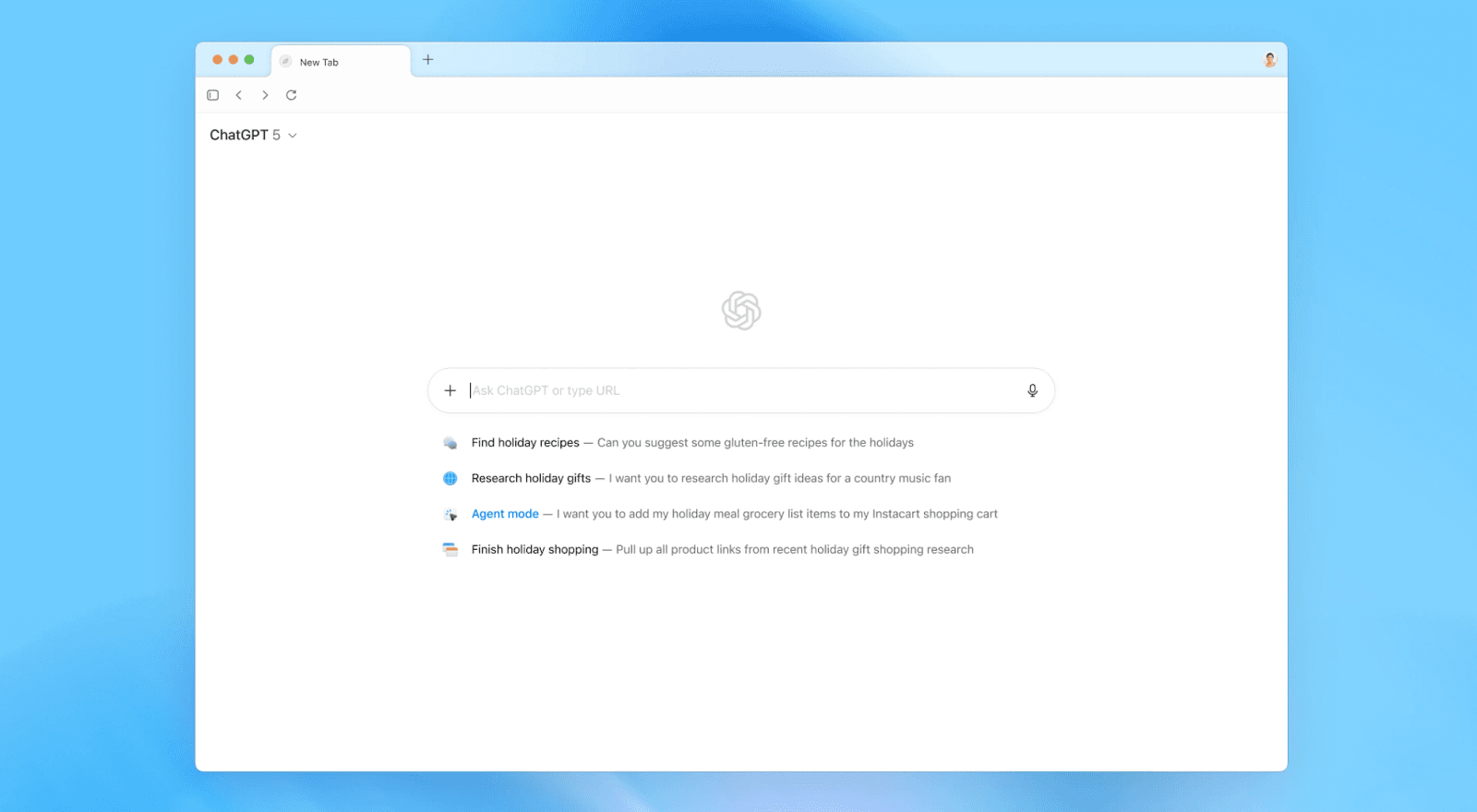
They launched Atlas, a new browser with ChatGPT built right in… and it’s not just another tab with a chat box. It’s a full, thinking assistant that lives inside the web itself.

Here’s what that means:

✅ When you visit a site, Atlas can see the page: summarize it, explain it, even help you write from it right there in the sidebar.

✅ Instead of typing a URL or search, you can just ask, “Find me the best product design portfolios from this year,”and it will browse for you, combining live web results with ChatGPT’s reasoning.

✅ Every text box becomes smarter. Atlas can write, edit, and rewrite your words as you type.

Atlas also remembers what you’ve been browsing. You can literally say, “Show me the jeans I looked at last weekend”, and it’ll pull them up. Your browsing history now syncs with ChatGPT’s memory, meaning your AI learns from what you do online, and your chats learn from what you browse.

And with Agent Mode, you can tell it to research competitors, book travel, or fill out forms.

Atlas is free for Mac users, with Windows and mobile coming soon. Agent Mode requires a paid ChatGPT Plus or Pro plan.

And honestly, even if it takes a few months or a few years, the way we browse will never be the same.

Soon, every browser will be an AI browser - with everything you need already built in.

AI Signals: The Updates You Shouldn’t Miss

OpenAI expands Atlas

OpenAI is already rolling out Atlas updates: adding profiles, tab groups, and an ad blocker, plus tighter integrations with Drive and Excel. The built-in Agent is also getting faster and more intuitive.

Why it matters: With AI browsers like Atlas and Comet on the rise, the way we browse is shifting fast - the web is becoming more integrated, more intelligent, and a lot easier to use.

Sora lets you cameo in videos

Sora’s new update adds “cameo characters”, letting you upload faces - from your own to your dog’s - and drop them straight into AI-generated videos. Basic editing tools and Android support are on the way.

Why it matters: AI isn’t just generating content, it’s making you part of it.

Claude rolls out memory for everyone

Anthropic is giving all Claude subscribers long-term memory, so it can recall preferences, past chats, and key details across sessions.

Why it matters: This means your AI can finally give you more personal, consistent answers that actually remember your style.

Microsoft Edge adds Copilot Mode

Microsoft’s browser now comes with a built-in Copilot that can summarize pages, plan tasks, and act right from any tab.

Why it matters: Browsers are turning into workspaces and AI is the new interface.

Amazon introduces “Help Me Decide”

Amazon’s new AI shopping tool compares products and helps you make smarter choices with fewer clicks.

Why it matters: It’s another sign that AI is quietly integrating into everyday choices, big and small.

🛠 AI Tool We’re Testing: VEO 3

You’ve probably seen those ultra-realistic short videos on TikTok: product demos, mini-skits, or cinematic b-rolls that look like a full production team made them.

But many of them aren’t filmed at all. They’re made with Veo 3, Google’s latest video generator.

And now, Veo 3.1 is here, pushing the quality even further. It adds native audio, smoother motion, and a stronger sense of cinematic style. 

You can also use reference images to keep characters consistent across scenes, extend clips to make full one-minute stories, and even control transitions frame-to-frame.

Here’s how to try it:

  1. Open Gemini and select the video option.

  2. Write a prompt describing the scene: what’s happening, the tone, the setting, even camera angles.

  3. Paste it in and hit generate. 

Before you generate, use ChatGPT or Gemini to help you write a stronger prompt: include dialogue, actions, and transitions. It’ll make your video look way more polished.

Hyper AI Picks

October 24, 2025

ChatGPT just moved into your browser

🔍 AI Idea of the Week: ChatGPT Just Became a Real Browser

OpenAI just changed how we use the internet.

They launched Atlas, a new browser with ChatGPT built right in… and it’s not just another tab with a chat box. It’s a full, thinking assistant that lives inside the web itself.

Here’s what that means:

✅ When you visit a site, Atlas can see the page: summarize it, explain it, even help you write from it right there in the sidebar.

✅ Instead of typing a URL or search, you can just ask, “Find me the best product design portfolios from this year,”and it will browse for you, combining live web results with ChatGPT’s reasoning.

✅ Every text box becomes smarter. Atlas can write, edit, and rewrite your words as you type.

Atlas also remembers what you’ve been browsing. You can literally say, “Show me the jeans I looked at last weekend”, and it’ll pull them up. Your browsing history now syncs with ChatGPT’s memory, meaning your AI learns from what you do online, and your chats learn from what you browse.

And with Agent Mode, you can tell it to research competitors, book travel, or fill out forms.

Atlas is free for Mac users, with Windows and mobile coming soon. Agent Mode requires a paid ChatGPT Plus or Pro plan.

And honestly, even if it takes a few months or a few years, the way we browse will never be the same.

Soon, every browser will be an AI browser - with everything you need already built in.

AI Signals: The Updates You Shouldn’t Miss

OpenAI expands Atlas

OpenAI is already rolling out Atlas updates: adding profiles, tab groups, and an ad blocker, plus tighter integrations with Drive and Excel. The built-in Agent is also getting faster and more intuitive.

Why it matters: With AI browsers like Atlas and Comet on the rise, the way we browse is shifting fast - the web is becoming more integrated, more intelligent, and a lot easier to use.

Sora lets you cameo in videos

Sora’s new update adds “cameo characters”, letting you upload faces - from your own to your dog’s - and drop them straight into AI-generated videos. Basic editing tools and Android support are on the way.

Why it matters: AI isn’t just generating content, it’s making you part of it.

Claude rolls out memory for everyone

Anthropic is giving all Claude subscribers long-term memory, so it can recall preferences, past chats, and key details across sessions.

Why it matters: This means your AI can finally give you more personal, consistent answers that actually remember your style.

Microsoft Edge adds Copilot Mode

Microsoft’s browser now comes with a built-in Copilot that can summarize pages, plan tasks, and act right from any tab.

Why it matters: Browsers are turning into workspaces and AI is the new interface.

Amazon introduces “Help Me Decide”

Amazon’s new AI shopping tool compares products and helps you make smarter choices with fewer clicks.

Why it matters: It’s another sign that AI is quietly integrating into everyday choices, big and small.

🛠 AI Tool We’re Testing: VEO 3

You’ve probably seen those ultra-realistic short videos on TikTok: product demos, mini-skits, or cinematic b-rolls that look like a full production team made them.

But many of them aren’t filmed at all. They’re made with Veo 3, Google’s latest video generator.

And now, Veo 3.1 is here, pushing the quality even further. It adds native audio, smoother motion, and a stronger sense of cinematic style. 

You can also use reference images to keep characters consistent across scenes, extend clips to make full one-minute stories, and even control transitions frame-to-frame.

Here’s how to try it:

  1. Open Gemini and select the video option.

  2. Write a prompt describing the scene: what’s happening, the tone, the setting, even camera angles.

  3. Paste it in and hit generate. 

Before you generate, use ChatGPT or Gemini to help you write a stronger prompt: include dialogue, actions, and transitions. It’ll make your video look way more polished.

Hyper AI Picks

October 24, 2025

ChatGPT just moved into your browser

🔍 AI Idea of the Week: ChatGPT Just Became a Real Browser

OpenAI just changed how we use the internet.

They launched Atlas, a new browser with ChatGPT built right in… and it’s not just another tab with a chat box. It’s a full, thinking assistant that lives inside the web itself.

Here’s what that means:

✅ When you visit a site, Atlas can see the page: summarize it, explain it, even help you write from it right there in the sidebar.

✅ Instead of typing a URL or search, you can just ask, “Find me the best product design portfolios from this year,”and it will browse for you, combining live web results with ChatGPT’s reasoning.

✅ Every text box becomes smarter. Atlas can write, edit, and rewrite your words as you type.

Atlas also remembers what you’ve been browsing. You can literally say, “Show me the jeans I looked at last weekend”, and it’ll pull them up. Your browsing history now syncs with ChatGPT’s memory, meaning your AI learns from what you do online, and your chats learn from what you browse.

And with Agent Mode, you can tell it to research competitors, book travel, or fill out forms.

Atlas is free for Mac users, with Windows and mobile coming soon. Agent Mode requires a paid ChatGPT Plus or Pro plan.

And honestly, even if it takes a few months or a few years, the way we browse will never be the same.

Soon, every browser will be an AI browser - with everything you need already built in.

AI Signals: The Updates You Shouldn’t Miss

OpenAI expands Atlas

OpenAI is already rolling out Atlas updates: adding profiles, tab groups, and an ad blocker, plus tighter integrations with Drive and Excel. The built-in Agent is also getting faster and more intuitive.

Why it matters: With AI browsers like Atlas and Comet on the rise, the way we browse is shifting fast - the web is becoming more integrated, more intelligent, and a lot easier to use.

Sora lets you cameo in videos

Sora’s new update adds “cameo characters”, letting you upload faces - from your own to your dog’s - and drop them straight into AI-generated videos. Basic editing tools and Android support are on the way.

Why it matters: AI isn’t just generating content, it’s making you part of it.

Claude rolls out memory for everyone

Anthropic is giving all Claude subscribers long-term memory, so it can recall preferences, past chats, and key details across sessions.

Why it matters: This means your AI can finally give you more personal, consistent answers that actually remember your style.

Microsoft Edge adds Copilot Mode

Microsoft’s browser now comes with a built-in Copilot that can summarize pages, plan tasks, and act right from any tab.

Why it matters: Browsers are turning into workspaces and AI is the new interface.

Amazon introduces “Help Me Decide”

Amazon’s new AI shopping tool compares products and helps you make smarter choices with fewer clicks.

Why it matters: It’s another sign that AI is quietly integrating into everyday choices, big and small.

🛠 AI Tool We’re Testing: VEO 3

You’ve probably seen those ultra-realistic short videos on TikTok: product demos, mini-skits, or cinematic b-rolls that look like a full production team made them.

But many of them aren’t filmed at all. They’re made with Veo 3, Google’s latest video generator.

And now, Veo 3.1 is here, pushing the quality even further. It adds native audio, smoother motion, and a stronger sense of cinematic style. 

You can also use reference images to keep characters consistent across scenes, extend clips to make full one-minute stories, and even control transitions frame-to-frame.

Here’s how to try it:

  1. Open Gemini and select the video option.

  2. Write a prompt describing the scene: what’s happening, the tone, the setting, even camera angles.

  3. Paste it in and hit generate. 

Before you generate, use ChatGPT or Gemini to help you write a stronger prompt: include dialogue, actions, and transitions. It’ll make your video look way more polished.

Hyper AI Picks

October 17, 2025

you’re probably using only 10% of ChatGPT

Welcome to this week’s Hyper AI Picks!

Something’s changing in how we use AI.

A year ago, you had to know the right prompt, the right plugin, the right way to explain yourself.

Now the best tools are learning from you instead.

They connect to your workspace, understand your routines, and start getting things done without setup.

It’s a small preview of where everyday work is heading: simpler, faster, and a lot more automated.

🔍 AI Idea of the Week: You’re Probably Using Only 10% of ChatGPT

If you still use ChatGPT the way you’d use Google - typing a quick question and expecting an answer - you’re missing what it’s really built for.

Once you start using its features, it begins to feel less like a chat box and more like a workspace that understands how you operate.

You can assign roles, asking it to act as your marketing strategist, writing coach, or research analyst. You can turn on Pulse, which gathers updates and ideas for you overnight, so you start the day already prepared.

You can also use threads, memory, and feedback to help it learn your tone, your habits, and what kind of output you like best. And by setting up custom instructions, you tell it who you are and what you’re trying to achieve - so every response fits your style and goals.

Most people only ever ask ChatGPT for quick answers. But when you start using all of its features together, it becomes a system that learns from you, works alongside you, and helps you get real results faster.

AI Signals: From Video to Workflows, Everything’s Going Intelligent

Google upgrades Veo 3.1 with sound and smoother motion

Google’s latest update to its AI video generator adds realistic audio, improved lighting, and fluid motion. AI-generated clips are now closer to real short films than silent demos.

Why it matters: Video generators are quickly becoming transformative. Tools like Veo, Sora, and Runway are now producing content that’s ready to publish.

Claude adds “Skills” for custom workflows

Anthropic’s new Claude update lets teams build specialized “Skills” that capture company workflows, rules, and tone. Claude can now perform structured tasks like audits or reports, not just chat.

Why it matters: Custom AI skills mean companies can standardize how knowledge and processes are applied: turning one-off AI use into repeatable systems.

Gmail rolls out Gemini scheduling

Google is adding a Gemini-powered scheduling feature that detects when you’re planning a meeting and suggests open time slots from your calendar right inside the email.

Why it matters: Scheduling is one of those small, constant frictions at work. Automating it inside Gmail makes collaboration faster and less interruptive.

Uber trains its AI through drivers

Uber is testing a program where drivers can earn extra income by completing microtasks - recording sounds or tagging images - to help train AI models.

Why it matters: Uber’s scale gives it access to a vast, global dataset that can accelerate how quickly AI systems learn from the real world.

Kayak launches AI Mode for travel

Kayak now lets users ask travel questions, compare destinations, and book directly in an AI chat interface. 

Why it matters: Travel planning is shifting from forms to dialogue, bringing a new wave of AI-first consumer experiences.

🛠 AI Tool We’re Testing: Sora 2 for Fast, Realistic UGC Videos

Sora 2 is quickly becoming one of the easiest ways to create realistic, on-brand user-generated videos.

And here’s how you can try it too:

Step 1: Start by looking up trending UGC videos in your niche on TikTok. 

Step 2: Use Gemini to analyze those videos and identify what’s working: tone, camera style, structure, and flow. 

Step 3: Once you have that breakdown, ask Gemini to write a Sora 2 prompt based on the winning patterns it found.

Step 4: Next, upload a reference image of your product into Sora 2, paste in the prompt, and let it generate the video. 

In seconds, you’ll have realistic footage that looks like real creators filmed it - at a fraction of the time and cost.


Thanks for reading.

Best,

Darius.

Hyper AI Picks

October 17, 2025

you’re probably using only 10% of ChatGPT

Welcome to this week’s Hyper AI Picks!

Something’s changing in how we use AI.

A year ago, you had to know the right prompt, the right plugin, the right way to explain yourself.

Now the best tools are learning from you instead.

They connect to your workspace, understand your routines, and start getting things done without setup.

It’s a small preview of where everyday work is heading: simpler, faster, and a lot more automated.

🔍 AI Idea of the Week: You’re Probably Using Only 10% of ChatGPT

If you still use ChatGPT the way you’d use Google - typing a quick question and expecting an answer - you’re missing what it’s really built for.

Once you start using its features, it begins to feel less like a chat box and more like a workspace that understands how you operate.

You can assign roles, asking it to act as your marketing strategist, writing coach, or research analyst. You can turn on Pulse, which gathers updates and ideas for you overnight, so you start the day already prepared.

You can also use threads, memory, and feedback to help it learn your tone, your habits, and what kind of output you like best. And by setting up custom instructions, you tell it who you are and what you’re trying to achieve - so every response fits your style and goals.

Most people only ever ask ChatGPT for quick answers. But when you start using all of its features together, it becomes a system that learns from you, works alongside you, and helps you get real results faster.

AI Signals: From Video to Workflows, Everything’s Going Intelligent

Google upgrades Veo 3.1 with sound and smoother motion

Google’s latest update to its AI video generator adds realistic audio, improved lighting, and fluid motion. AI-generated clips are now closer to real short films than silent demos.

Why it matters: Video generators are quickly becoming transformative. Tools like Veo, Sora, and Runway are now producing content that’s ready to publish.

Claude adds “Skills” for custom workflows

Anthropic’s new Claude update lets teams build specialized “Skills” that capture company workflows, rules, and tone. Claude can now perform structured tasks like audits or reports, not just chat.

Why it matters: Custom AI skills mean companies can standardize how knowledge and processes are applied: turning one-off AI use into repeatable systems.

Gmail rolls out Gemini scheduling

Google is adding a Gemini-powered scheduling feature that detects when you’re planning a meeting and suggests open time slots from your calendar right inside the email.

Why it matters: Scheduling is one of those small, constant frictions at work. Automating it inside Gmail makes collaboration faster and less interruptive.

Uber trains its AI through drivers

Uber is testing a program where drivers can earn extra income by completing microtasks - recording sounds or tagging images - to help train AI models.

Why it matters: Uber’s scale gives it access to a vast, global dataset that can accelerate how quickly AI systems learn from the real world.

Kayak launches AI Mode for travel

Kayak now lets users ask travel questions, compare destinations, and book directly in an AI chat interface. 

Why it matters: Travel planning is shifting from forms to dialogue, bringing a new wave of AI-first consumer experiences.

🛠 AI Tool We’re Testing: Sora 2 for Fast, Realistic UGC Videos

Sora 2 is quickly becoming one of the easiest ways to create realistic, on-brand user-generated videos.

And here’s how you can try it too:

Step 1: Start by looking up trending UGC videos in your niche on TikTok. 

Step 2: Use Gemini to analyze those videos and identify what’s working: tone, camera style, structure, and flow. 

Step 3: Once you have that breakdown, ask Gemini to write a Sora 2 prompt based on the winning patterns it found.

Step 4: Next, upload a reference image of your product into Sora 2, paste in the prompt, and let it generate the video. 

In seconds, you’ll have realistic footage that looks like real creators filmed it - at a fraction of the time and cost.


Thanks for reading.

Best,

Darius.

Hyper AI Picks

October 17, 2025

you’re probably using only 10% of ChatGPT

Welcome to this week’s Hyper AI Picks!

Something’s changing in how we use AI.

A year ago, you had to know the right prompt, the right plugin, the right way to explain yourself.

Now the best tools are learning from you instead.

They connect to your workspace, understand your routines, and start getting things done without setup.

It’s a small preview of where everyday work is heading: simpler, faster, and a lot more automated.

🔍 AI Idea of the Week: You’re Probably Using Only 10% of ChatGPT

If you still use ChatGPT the way you’d use Google - typing a quick question and expecting an answer - you’re missing what it’s really built for.

Once you start using its features, it begins to feel less like a chat box and more like a workspace that understands how you operate.

You can assign roles, asking it to act as your marketing strategist, writing coach, or research analyst. You can turn on Pulse, which gathers updates and ideas for you overnight, so you start the day already prepared.

You can also use threads, memory, and feedback to help it learn your tone, your habits, and what kind of output you like best. And by setting up custom instructions, you tell it who you are and what you’re trying to achieve - so every response fits your style and goals.

Most people only ever ask ChatGPT for quick answers. But when you start using all of its features together, it becomes a system that learns from you, works alongside you, and helps you get real results faster.

AI Signals: From Video to Workflows, Everything’s Going Intelligent

Google upgrades Veo 3.1 with sound and smoother motion

Google’s latest update to its AI video generator adds realistic audio, improved lighting, and fluid motion. AI-generated clips are now closer to real short films than silent demos.

Why it matters: Video generators are quickly becoming transformative. Tools like Veo, Sora, and Runway are now producing content that’s ready to publish.

Claude adds “Skills” for custom workflows

Anthropic’s new Claude update lets teams build specialized “Skills” that capture company workflows, rules, and tone. Claude can now perform structured tasks like audits or reports, not just chat.

Why it matters: Custom AI skills mean companies can standardize how knowledge and processes are applied: turning one-off AI use into repeatable systems.

Gmail rolls out Gemini scheduling

Google is adding a Gemini-powered scheduling feature that detects when you’re planning a meeting and suggests open time slots from your calendar right inside the email.

Why it matters: Scheduling is one of those small, constant frictions at work. Automating it inside Gmail makes collaboration faster and less interruptive.

Uber trains its AI through drivers

Uber is testing a program where drivers can earn extra income by completing microtasks - recording sounds or tagging images - to help train AI models.

Why it matters: Uber’s scale gives it access to a vast, global dataset that can accelerate how quickly AI systems learn from the real world.

Kayak launches AI Mode for travel

Kayak now lets users ask travel questions, compare destinations, and book directly in an AI chat interface. 

Why it matters: Travel planning is shifting from forms to dialogue, bringing a new wave of AI-first consumer experiences.

🛠 AI Tool We’re Testing: Sora 2 for Fast, Realistic UGC Videos

Sora 2 is quickly becoming one of the easiest ways to create realistic, on-brand user-generated videos.

And here’s how you can try it too:

Step 1: Start by looking up trending UGC videos in your niche on TikTok. 

Step 2: Use Gemini to analyze those videos and identify what’s working: tone, camera style, structure, and flow. 

Step 3: Once you have that breakdown, ask Gemini to write a Sora 2 prompt based on the winning patterns it found.

Step 4: Next, upload a reference image of your product into Sora 2, paste in the prompt, and let it generate the video. 

In seconds, you’ll have realistic footage that looks like real creators filmed it - at a fraction of the time and cost.


Thanks for reading.

Best,

Darius.

Hyper AI Picks

October 16, 2025

be like Apple 🍏

Every founder I know obsesses over the thing they’re building: the tool, the workflow, the product.

But here’s the part most miss: the first product isn’t the thing.

It’s the language you wrap it in.

Think of Apple.

They didn’t sell “a portable MP3 player with a 5GB hard drive.”

They sold “1,000 songs in your pocket.”

That shift in language wasn’t just clever copy. 

It was the product. 

It was what people bought into.

The same rule applies to you.

…Recently, I was working with Valeriya, our brilliant AI consultant, on our new AI Consultant Certification programme.

At first, we called it “T-shaped consultants” and “vertical depth with horizontal breadth.”

Sounded smart on paper. But let’s be honest: it’s the kind of phrase that belongs in a McKinsey deck, not in the mind of a client.

And then we hit on “AI Skills Bridge.”

And suddenly it made sense.

You could see it, almost picture it in your head.

A bridge from what you already know to what AI makes possible.

That’s what good language does.

It doesn’t just describe - it creates. It makes something ownable.

How I engineered the shift with AI

This wasn’t me sitting around waiting for inspiration. I used AI to push the language into shape.

Here’s roughly how I did it (and you can steal this):

  1. Spot the problem – where your words sound too corporate, too generic, too dead.

  2. Define your voice – for me: blunt, practical, entrepreneurial, human-first. Don’t sound like McKinsey. Sound like Apple.

  3. Set constraints – cut the jargon, keep it scannable, tie everything back to time, clients, money, credibility.

  4. Anchor it in identity – the words have to feel like yours, not like a bot.

  5. Apply & repeat – don’t do this once, do it every time you smell PowerPoint language creeping in.

That’s how “T-shaped” became “AI Skills Bridge.”

Not a slogan… but a framework people can actually use and remember.

Here’s a Quick Strategy for you:

– Name the shift you create.

– Make it visual, human, and easy to repeat at the pub without notes.

– Use metaphors that stick.

… Because once you do this, you’re no longer “another freelancer.”

You’re the person who invented the bridge, the ladder, the vault, the engine.

And people pay more to cross a bridge than to sit through “horizontal breadth.”

The truth is:  your business doesn’t grow at the speed of your hustle.

It grows at the speed of the language and systems you give it.

And that’s where AI is different from every tool that came before.

It doesn’t just make you faster — it gives you new ways to frame, name, and structure what you do, so it becomes a system people actually value.

Hyper Entrepreneur Dispatch

October 16, 2025

be like Apple 🍏

Every founder I know obsesses over the thing they’re building: the tool, the workflow, the product.

But here’s the part most miss: the first product isn’t the thing.

It’s the language you wrap it in.

Think of Apple.

They didn’t sell “a portable MP3 player with a 5GB hard drive.”

They sold “1,000 songs in your pocket.”

That shift in language wasn’t just clever copy. 

It was the product. 

It was what people bought into.

The same rule applies to you.

…Recently, I was working with Valeriya, our brilliant AI consultant, on our new AI Consultant Certification programme.

At first, we called it “T-shaped consultants” and “vertical depth with horizontal breadth.”

Sounded smart on paper. But let’s be honest: it’s the kind of phrase that belongs in a McKinsey deck, not in the mind of a client.

And then we hit on “AI Skills Bridge.”

And suddenly it made sense.

You could see it, almost picture it in your head.

A bridge from what you already know to what AI makes possible.

That’s what good language does.

It doesn’t just describe - it creates. It makes something ownable.

How I engineered the shift with AI

This wasn’t me sitting around waiting for inspiration. I used AI to push the language into shape.

Here’s roughly how I did it (and you can steal this):

  1. Spot the problem – where your words sound too corporate, too generic, too dead.

  2. Define your voice – for me: blunt, practical, entrepreneurial, human-first. Don’t sound like McKinsey. Sound like Apple.

  3. Set constraints – cut the jargon, keep it scannable, tie everything back to time, clients, money, credibility.

  4. Anchor it in identity – the words have to feel like yours, not like a bot.

  5. Apply & repeat – don’t do this once, do it every time you smell PowerPoint language creeping in.

That’s how “T-shaped” became “AI Skills Bridge.”

Not a slogan… but a framework people can actually use and remember.

Here’s a Quick Strategy for you:

– Name the shift you create.

– Make it visual, human, and easy to repeat at the pub without notes.

– Use metaphors that stick.

… Because once you do this, you’re no longer “another freelancer.”

You’re the person who invented the bridge, the ladder, the vault, the engine.

And people pay more to cross a bridge than to sit through “horizontal breadth.”

The truth is:  your business doesn’t grow at the speed of your hustle.

It grows at the speed of the language and systems you give it.

And that’s where AI is different from every tool that came before.

It doesn’t just make you faster — it gives you new ways to frame, name, and structure what you do, so it becomes a system people actually value.

Hyper Entrepreneur Dispatch

October 16, 2025

be like Apple 🍏

Every founder I know obsesses over the thing they’re building: the tool, the workflow, the product.

But here’s the part most miss: the first product isn’t the thing.

It’s the language you wrap it in.

Think of Apple.

They didn’t sell “a portable MP3 player with a 5GB hard drive.”

They sold “1,000 songs in your pocket.”

That shift in language wasn’t just clever copy. 

It was the product. 

It was what people bought into.

The same rule applies to you.

…Recently, I was working with Valeriya, our brilliant AI consultant, on our new AI Consultant Certification programme.

At first, we called it “T-shaped consultants” and “vertical depth with horizontal breadth.”

Sounded smart on paper. But let’s be honest: it’s the kind of phrase that belongs in a McKinsey deck, not in the mind of a client.

And then we hit on “AI Skills Bridge.”

And suddenly it made sense.

You could see it, almost picture it in your head.

A bridge from what you already know to what AI makes possible.

That’s what good language does.

It doesn’t just describe - it creates. It makes something ownable.

How I engineered the shift with AI

This wasn’t me sitting around waiting for inspiration. I used AI to push the language into shape.

Here’s roughly how I did it (and you can steal this):

  1. Spot the problem – where your words sound too corporate, too generic, too dead.

  2. Define your voice – for me: blunt, practical, entrepreneurial, human-first. Don’t sound like McKinsey. Sound like Apple.

  3. Set constraints – cut the jargon, keep it scannable, tie everything back to time, clients, money, credibility.

  4. Anchor it in identity – the words have to feel like yours, not like a bot.

  5. Apply & repeat – don’t do this once, do it every time you smell PowerPoint language creeping in.

That’s how “T-shaped” became “AI Skills Bridge.”

Not a slogan… but a framework people can actually use and remember.

Here’s a Quick Strategy for you:

– Name the shift you create.

– Make it visual, human, and easy to repeat at the pub without notes.

– Use metaphors that stick.

… Because once you do this, you’re no longer “another freelancer.”

You’re the person who invented the bridge, the ladder, the vault, the engine.

And people pay more to cross a bridge than to sit through “horizontal breadth.”

The truth is:  your business doesn’t grow at the speed of your hustle.

It grows at the speed of the language and systems you give it.

And that’s where AI is different from every tool that came before.

It doesn’t just make you faster — it gives you new ways to frame, name, and structure what you do, so it becomes a system people actually value.

Hyper Entrepreneur Dispatch

October 13, 2025

🧠 think like an AI architect in your business

Every business needs an architect.

Not the kind who designs buildings, but the kind who designs clarity.

That’s how I see my role inside HyperEntrepreneur.

I’m not always the one mentoring or teaching directly.

My work is to architect what others know, to take complex expertise and turn it into something structured, teachable, and powerful.

When I sit down with our AI experts, I don’t just ask, “What do you know?”

Here are the questions that I ask:

What patterns are you seeing that no one else notices yet?

• What do you understand so deeply that others can’t even name?

• And how can we turn that knowledge into something usable, step by step, for the entrepreneur on the other side of the screen?

Because here’s the truth.

Most experts, and most business owners, are too deep in their own craft to explain what they really know.

They’ve built something brilliant, but it’s like a building without blueprints.

No one else can walk through it.

And that’s where the architect comes in…

Our job as founders is to turn instinct into structure.

To take what feels natural and design it so others can follow it, buy it, and benefit from it.

When I design a new programme or system, I always start there.

Not with marketing angles. 

Not with funnels or headlines.

But with clarity…

What is the real idea?

What’s the transformation?

And how do we make it simple enough to be taught, but powerful enough to change how someone works?

That’s the part no one sees.

And this applies to every business and product. 

Hyper Entrepreneur Dispatch

October 13, 2025

🧠 think like an AI architect in your business

Every business needs an architect.

Not the kind who designs buildings, but the kind who designs clarity.

That’s how I see my role inside HyperEntrepreneur.

I’m not always the one mentoring or teaching directly.

My work is to architect what others know, to take complex expertise and turn it into something structured, teachable, and powerful.

When I sit down with our AI experts, I don’t just ask, “What do you know?”

Here are the questions that I ask:

What patterns are you seeing that no one else notices yet?

• What do you understand so deeply that others can’t even name?

• And how can we turn that knowledge into something usable, step by step, for the entrepreneur on the other side of the screen?

Because here’s the truth.

Most experts, and most business owners, are too deep in their own craft to explain what they really know.

They’ve built something brilliant, but it’s like a building without blueprints.

No one else can walk through it.

And that’s where the architect comes in…

Our job as founders is to turn instinct into structure.

To take what feels natural and design it so others can follow it, buy it, and benefit from it.

When I design a new programme or system, I always start there.

Not with marketing angles. 

Not with funnels or headlines.

But with clarity…

What is the real idea?

What’s the transformation?

And how do we make it simple enough to be taught, but powerful enough to change how someone works?

That’s the part no one sees.

And this applies to every business and product. 

Hyper Entrepreneur Dispatch

October 13, 2025

🧠 think like an AI architect in your business

Every business needs an architect.

Not the kind who designs buildings, but the kind who designs clarity.

That’s how I see my role inside HyperEntrepreneur.

I’m not always the one mentoring or teaching directly.

My work is to architect what others know, to take complex expertise and turn it into something structured, teachable, and powerful.

When I sit down with our AI experts, I don’t just ask, “What do you know?”

Here are the questions that I ask:

What patterns are you seeing that no one else notices yet?

• What do you understand so deeply that others can’t even name?

• And how can we turn that knowledge into something usable, step by step, for the entrepreneur on the other side of the screen?

Because here’s the truth.

Most experts, and most business owners, are too deep in their own craft to explain what they really know.

They’ve built something brilliant, but it’s like a building without blueprints.

No one else can walk through it.

And that’s where the architect comes in…

Our job as founders is to turn instinct into structure.

To take what feels natural and design it so others can follow it, buy it, and benefit from it.

When I design a new programme or system, I always start there.

Not with marketing angles. 

Not with funnels or headlines.

But with clarity…

What is the real idea?

What’s the transformation?

And how do we make it simple enough to be taught, but powerful enough to change how someone works?

That’s the part no one sees.

And this applies to every business and product. 

Hyper Entrepreneur Dispatch

Disclaimer

Getting rich quickly doesn’t exist. However, hard work, creating value and serving others does. As stated by law, we can not and do not make any guarantees about your own ability to get results or earn any money with our ideas, information, programs or strategies. Make sure you read our Earnings & Products Disclaimer before you purchase the product. Please also familiarize yourself with: Privacy, Terms & Conditions, Earnings & Products Disclaimer. If you have any questions about Darius Lukas Pte. Ltd. please email team@dariuslukas.com.

* Lifetime All-Access Pass Membership Disclaimer

Your membership gives you access to the full Hyper AI University library as it exists today. Premium programs such as the AI Consultant Certification, Hyper AI Automations Agency, and 70i Super Helper SaaS are excluded. “Lifetime” refers to the operational lifespan of Hyper AI University, and live call formats may evolve. Due to giving out lifetime access to $5,000+ worth of products and providing you with tremendous value for an extremely low fee, we do not offer refunds on this offer. Please review the full Terms & Conditions for details.

Important

This site is not a part of the Facebook website or Facebook Inc. Additionally, this site is NOT endorsed by Facebook in any way. FACEBOOK is a trademark of FACEBOOK, Inc.

© 2026 All rights reserved Darius Lukas Pte.Ltd.

Disclaimer

Getting rich quickly doesn’t exist. However, hard work, creating value and serving others does. As stated by law, we can not and do not make any guarantees about your own ability to get results or earn any money with our ideas, information, programs or strategies. Make sure you read our Earnings & Products Disclaimer before you purchase the product. Please also familiarize yourself with: Privacy, Terms & Conditions, Earnings & Products Disclaimer. If you have any questions about Darius Lukas Pte. Ltd. please email team@dariuslukas.com.

* Lifetime All-Access Pass Membership Disclaimer

Your membership gives you access to the full Hyper AI University library as it exists today. Premium programs such as the AI Consultant Certification, Hyper AI Automations Agency, and 70i Super Helper SaaS are excluded. “Lifetime” refers to the operational lifespan of Hyper AI University, and live call formats may evolve. Due to giving out lifetime access to $5,000+ worth of products and providing you with tremendous value for an extremely low fee, we do not offer refunds on this offer. Please review the full Terms & Conditions for details.

Important

This site is not a part of the Facebook website or Facebook Inc. Additionally, this site is NOT endorsed by Facebook in any way. FACEBOOK is a trademark of FACEBOOK, Inc.

© 2026 All rights reserved Darius Lukas Pte.Ltd.

Disclaimer

Getting rich quickly doesn’t exist. However, hard work, creating value and serving others does. As stated by law, we can not and do not make any guarantees about your own ability to get results or earn any money with our ideas, information, programs or strategies. Make sure you read our Earnings & Products Disclaimer before you purchase the product. Please also familiarize yourself with: Privacy, Terms & Conditions, Earnings & Products Disclaimer. If you have any questions about Darius Lukas Pte. Ltd. please email team@dariuslukas.com.

* Lifetime All-Access Pass Membership Disclaimer

Your membership gives you access to the full Hyper AI University library as it exists today. Premium programs such as the AI Consultant Certification, Hyper AI Automations Agency, and 70i Super Helper SaaS are excluded. “Lifetime” refers to the operational lifespan of Hyper AI University, and live call formats may evolve. Due to giving out lifetime access to $5,000+ worth of products and providing you with tremendous value for an extremely low fee, we do not offer refunds on this offer. Please review the full Terms & Conditions for details.

Important

This site is not a part of the Facebook website or Facebook Inc. Additionally, this site is NOT endorsed by Facebook in any way. FACEBOOK is a trademark of FACEBOOK, Inc.

© 2026 All rights reserved Darius Lukas Pte.Ltd.