Hyper AI Picks
what it’s like to actually run a business inside ChatGPT
November 7, 2025
🔍 AI Idea of the Week: Run Your Business With ChatGPT
If you're wondering whether to switch to ChatGPT Business, here’s what it actually lets you do:
🔥 Invite your team into a shared workspace where everyone can collaborate in one place.
🔥 Set up roles and create Projects for each part of your business, each with its own memory and files.
🔥 Connect Google Drive so ChatGPT can access live docs and sheets.
🔥 For recurring workflows, build shared GPTs that learn your team’s writing style, planning process, and way of working.
If you’re already using ChatGPT for your work, the Business plan adds structure and turns what you do every day into a system.
⚡ AI Signals: The Updates You Shouldn’t Miss
ChatGPT launches two new apps
OpenAI is expanding ChatGPT with new integrations: Peloton and Tripadvisor. You can now plan workouts or map out travel plans directly inside ChatGPT.
Gemini adds Deep Research
Google is introducing a new Deep Research mode for Gemini that can scan across Gmail, Drive, and Docs to build personalised reports and summaries.
Google Maps gets Gemini built in
You can now chat directly with Gemini inside Google Maps: ask for routes, landmarks, or nearby stops, and it adjusts directions in real time.
Sora comes to Android
OpenAI’s Sora video generator is now available on Android, letting you create, remix, and share AI-generated videos, including “cameo characters” that feature real faces.
Amazon brings AI translation to Kindle
Amazon is rolling out AI-powered translation for Kindle eBooks, making it possible to instantly translate and publish titles in multiple languages.
🛠 AI Tool We’re Testing: BeFunky
If you need quick, high-quality visuals without a full design workflow, Be Funky is one of the simplest AI photo editors to try.
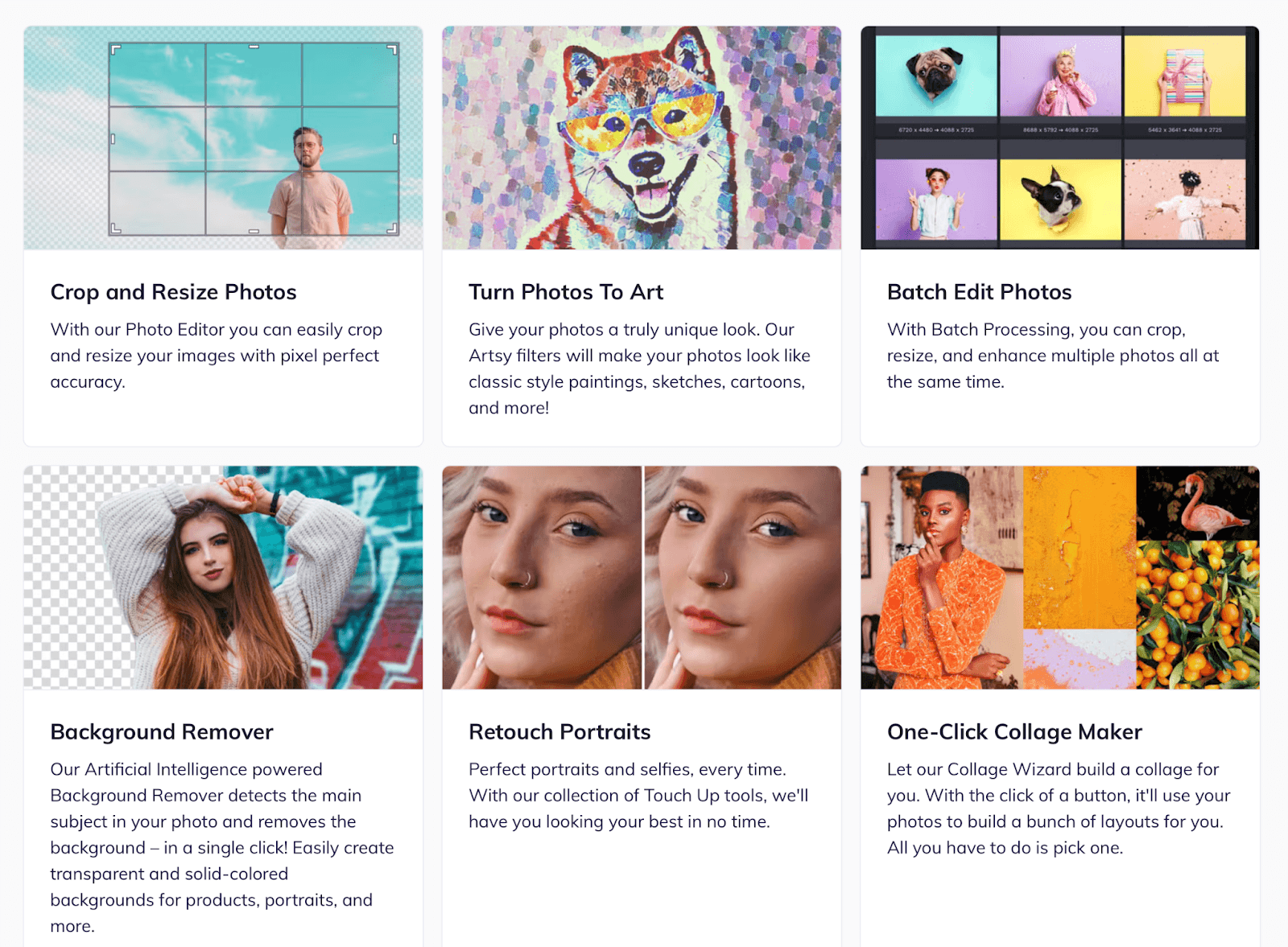
You can drag in an image, remove distractions, fix lighting, or change a background in seconds.
BeFunky includes an AI art generator that can turn photos into stylised illustrations or paintings, and a collage maker for quick layouts.
There’s also a Batch Editor, which lets you process dozens of images at once: resizing, sharpening, or adding filters across an entire folder.
For teams creating social posts, ad assets, or client decks, it saves hours compared to doing edits manually.